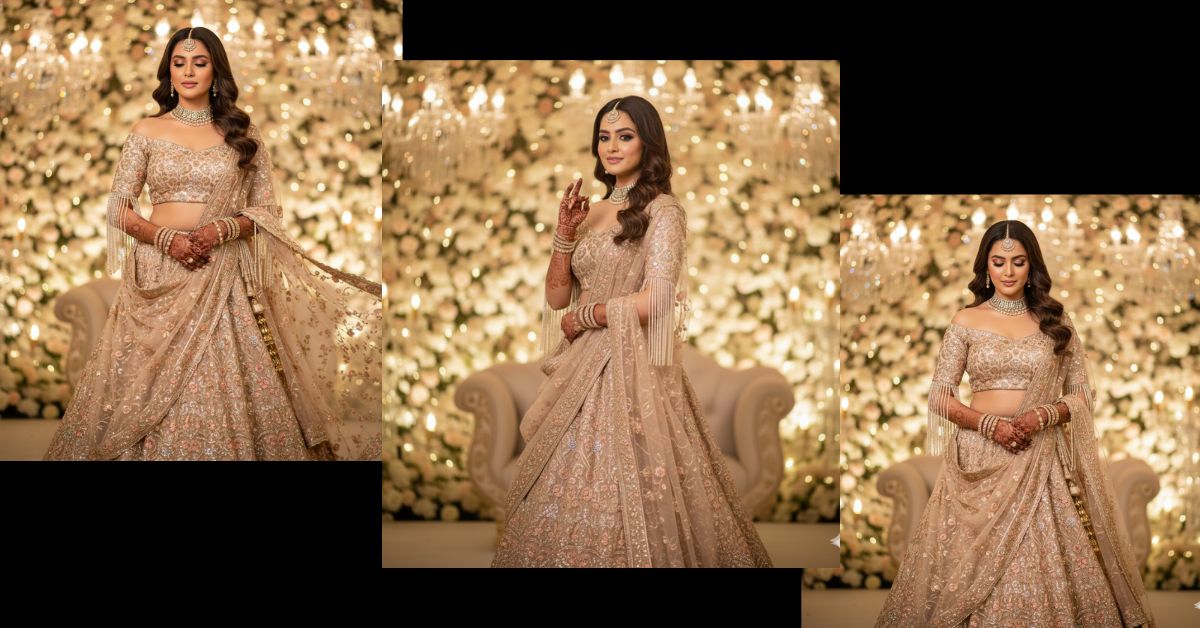
Luxury bridal portraits are trending everywhere on Instagram right now.
Soft pastel lehengas, cinematic lighting, and royal wedding vibes are dominating reels and feeds. Brides love this style because it looks elegant, dreamy, and high-fashion.
The best part?
You can create this viral bridal AI image for free using Google Gemini, without any editing skills. Just one perfect prompt is enough.
The Viral Prompt (Copy–Paste Ready)
Below is a single, highly detailed Google Gemini prompt.
Do not change the style—only customize personal details if needed.
<!– wp:code –>
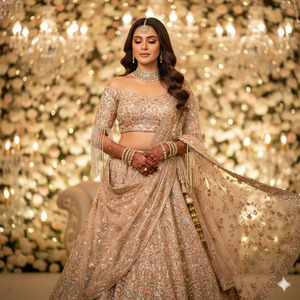
<pre class=”wp-block-code”><code>Create an ultra-realistic 8K cinematic full-body portrait of a stunning Indian bride using the uploaded reference face with 100% accuracy and no facial changes
She is wearing a luxurious champagne-peach lehenga with heavy embroidery, shimmer detailing, and intricate handcrafted patterns. The off-shoulder blouse features elegant pearl tassel sleeves. A sheer dupatta flows gracefully in motion, adding a royal and dreamy feel.
She is adorned with a diamond choker necklace, matching maang tikka, and bridal bangles. Her hands are decorated with detailed mehndi designs. Her makeup is soft glam bridal style with glowing skin, defined eyes, and nude peach lips. Her hair is styled in open, soft waves.
Pose: Elegant and graceful, slightly looking downward with a calm, royal expression.
Background: Cinematic wedding stage with crystal chandeliers, floral décor, and warm ambient lighting. Soft creamy bokeh lights in the background create a luxury wedding photoshoot vibe.
Lighting & Camera: Soft warm lighting, shallow depth of field, 85mm lens, f/1.8, high dynamic range, ultra-detailed fabric textures, realistic skin tones, premium high-fashion bridal photography style.
Output requirements: Extremely detailed, photorealistic, high quality, cinematic lighting, editorial bridal photoshoot look.
Negative prompt: blur, low quality, extra fingers, extra hands, deformed face, bad anatomy, cartoon, overexposed, underexposed, watermark, logo, text.
Create the image in 9:16 aspect ratio.
</code></pre>
<!– /wp:code –>
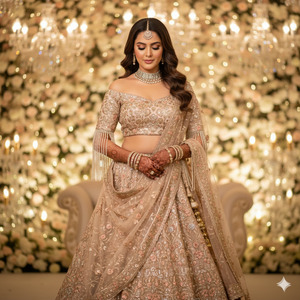
Pose Variant 1 – Soft Downward Elegance
<!– wp:code –>
<pre class=”wp-block-code”><code>Pose: Standing gracefully with her head slightly tilted downward, eyes softly lowered, one hand gently holding the dupatta near her waist while the other rests naturally by her side, calm and royal bridal expression.
</code></pre>
<!– /wp:code –>
Pose Variant 2 – Classic Bridal Confidence
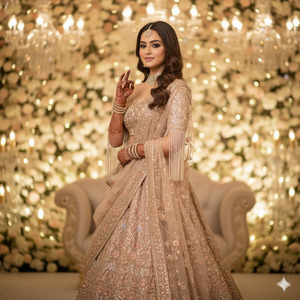
Pose: Standing tall and poised, shoulders relaxed, chin slightly lifted, both hands delicately placed in front showing detailed mehndi, looking softly toward the camera with a serene and confident bridal smile.
How to Customize This Prompt
You can easily personalize this prompt:
- Replace lehenga color (champagne-peach → blush pink, ivory, gold)
- Change jewelry type (diamond → kundan or polki)
- Modify pose (looking down → looking at camera)
- Use your own reference photo for face accuracy
Always keep the line:
“Use the uploaded reference face with 100% accuracy”
How to Create This Image Using Google Gemini
Follow these simple steps:
- Open Google Gemini on your browser or app
- Upload your reference face image
- Paste the viral prompt given above
- Add this line at the end:
“Create an image in 9:16 ratio” - Generate and download your image
That’s it—your viral bridal image is ready
Conclusion
This champagne-peach bridal AI image style is perfect for Instagram reels, wedding inspiration posts, and luxury bridal content. The cinematic lighting, royal background, and realistic textures make it look like a professional photoshoot.
Once you create your image using Google Gemini, don’t forget to share it on Instagram and tag your friends. This style is getting massive engagement and can easily go viral.
Stay tuned to Techy Gabru for more trending AI image prompts







