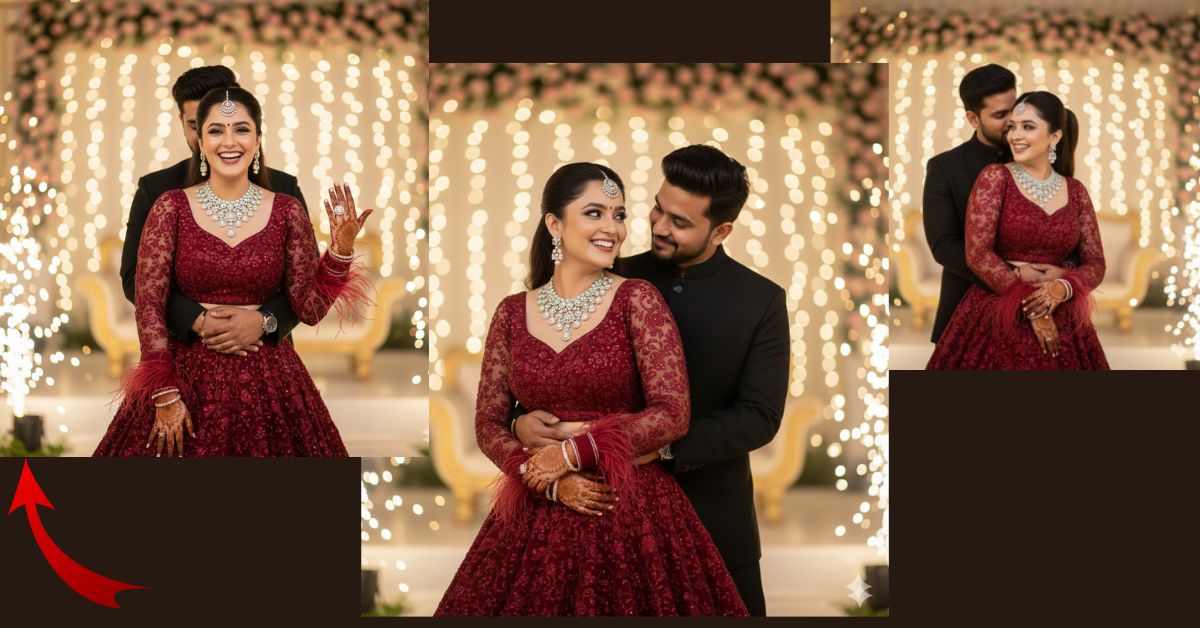
Romantic engagement night portraits are trending heavily on Instagram and Reels right now.
Couple photos with natural emotions, luxury outfits, and cinematic sparkler backgrounds are getting massive likes and shares.
The best part?
You can create this ultra-realistic engagement-style AI image for free using Google Gemini, even without professional photography skills.
The Viral Prompt (Google Gemini Prompt)
Copy the exact prompt below and paste it into Google Gemini for the best results:

<!– wp:code –>
<pre class=”wp-block-code”><code>Create a high-quality, ultra photorealistic 8K cinematic engagement night portrait using the uploaded reference image.
The bride’s face must remain 100% unchanged and exactly match the provided reference image with no facial alteration. She has her hair styled in a high ponytail and is looking directly at the camera with a genuine, joyful laugh.
She is wearing a luxurious red gown with heavy embroidery and intricate detailing. The gown includes elegant feather accents attached to the sleeves. She is adorned with traditional Indian bridal jewelry, including a statement necklace, matching earrings, a detailed maang tikka, and traditional hand jewelry. Her hands feature rich mehendi designs.
Pose: The bride’s left arm is bent at the elbow and lifted slightly toward the camera, clearly showcasing her engagement ring in a natural and celebratory gesture.
The groom is wearing a black sherwani and is standing behind her, gently hugging her from behind. His face is mostly hidden by her hair, adding a romantic and intimate feel.
Background: A professional engagement night venue with warm lighting, sparklers placed on the ground surrounding the couple, and a soft cinematic bokeh effect in the background.
Lighting & Style: Soft diffused professional lighting, realistic skin texture, ultra-detailed embroidery, shallow depth of field, premium engagement photography style, cinematic composition, realistic colors.
Image quality: Ultra photorealistic, 8K resolution, high dynamic range, professional photography look.
Create the image in 9:16 aspect ratio (Instagram Reel size).
</code></pre>
<!– /wp:code –>
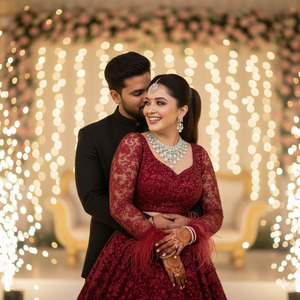
Pose Variant 1: Ring-Focus Romantic Pose
<!– wp:code –>
<pre class=”wp-block-code”><code>Pose: The bride’s left arm is gently bent at the elbow and raised closer to the camera, clearly highlighting the engagement ring. Her fingers are relaxed and elegant. She laughs naturally while slightly tilting her head toward the groom. The groom stands behind her, wrapping both arms around her waist in a protective embrace, his face softly hidden by her flowing hair.
</code></pre>
<!– /wp:code –>
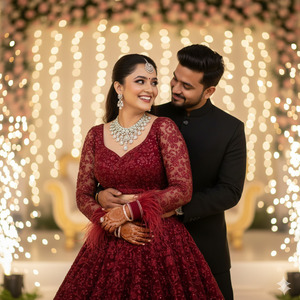
Pose Variant 2: Close Embrace with Eye Contact
<!– wp:code –>
<pre class=”wp-block-code”><code>Pose: The bride stands slightly angled to the side while the groom hugs her from behind, one arm across her waist and the other resting near her shoulder. She turns her head slightly toward him while smiling joyfully, maintaining partial eye contact with the camera. Her hands rest naturally in front, mehendi and jewelry clearly visible.
</code></pre>
<!– /wp:code –>
How to Customize This Prompt
You can easily personalize this prompt by changing a few details:
- Change gown color (red → maroon, wine, rose gold)
- Modify jewelry style (diamond, kundan, minimal)
- Adjust background vibe (indoor hall, outdoor garden, rooftop)
- Replace outfit style (gown → lehenga)
Do not remove the line about “face must remain 100% unchanged” if you want accurate results.
How to Create This Image Using Google Gemini
Follow these simple steps:
- Open Google Gemini on your browser or app.
- Upload the reference face image (if required).
- Paste the full prompt given above.
- Add this line at the end if needed:
“Create an image in 9:16 aspect ratio.” - Generate and download your image.
Conclusion
This engagement night AI image style is perfect for Instagram Reels, couple posts, and wedding content.
With Google Gemini, you can now create studio-quality engagement photos without expensive shoots.
Try this prompt today, post your creation on Instagram, and don’t forget to tag your loved ones.
Stay tuned with Techy Gabru for more viral AI image prompts and Google Gemini hacks







