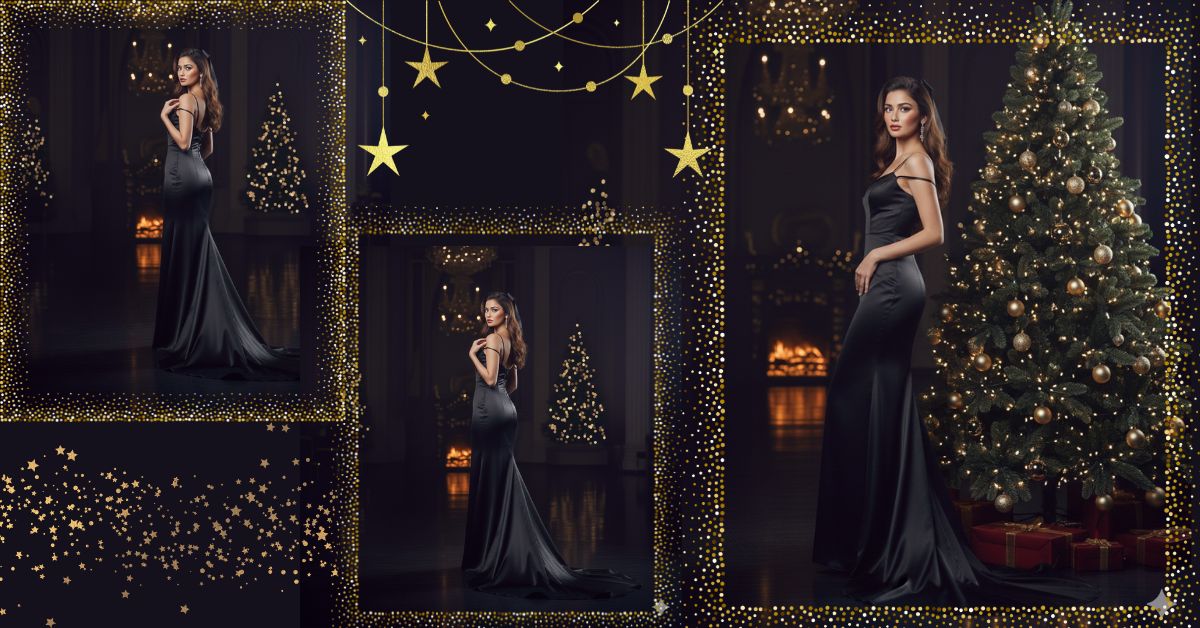
Luxury Christmas-themed AI images are going viral on Instagram and Reels right now.
Dark rooms, soft flash lighting, elegant dresses, and festive vibes are getting massive engagement.
The best part?
You can create this viral AI image for free using Google Gemini, without any advanced editing skills.
If you want a high-fashion Christmas night portrait, this prompt is perfect for you.
The Viral Prompt (Google Gemini Prompt)
<!– wp:code –>
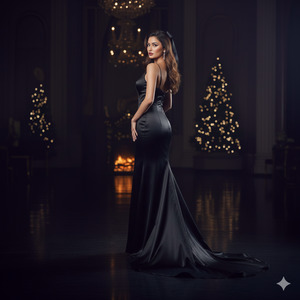
<pre class=”wp-block-code”><code>Create a high-quality, ultra-realistic cinematic portrait of a young woman. Do not change her facial features at all. Her face must look exactly like the uploaded reference photo, with a perfect one-to-one match.
She is standing in an expensive, luxurious black satin dress with thin straps. Her body is slightly turned away from the camera, and she is looking back over her shoulder with a confident, elegant expression. Her lips are a deep burgundy shade, and her hair is shiny, smooth, and softly flowing, partially tied with a ribbon that matches the dress
She is standing beside a stylishly decorated Christmas tree with warm glowing lights. A fireplace is visible in the background. The room is dark and moody, and the photo is captured using a flash, creating high contrast lighting with soft shadows.
The dress fabric looks realistic with a glossy satin texture that reflects light beautifully. The floor has subtle reflections. The atmosphere feels glamorous, festive, and luxurious, like a New Year’s Eve couture photoshoot.
High quality, 8K resolution, ultra-realistic skin texture, cinematic lighting, DSLR photography look, sharp focus, natural highlights, realistic hair strands, professional fashion photoshoot style.
Create the image in a 9:16 aspect ratio.
</code></pre>
<!– /wp:code –>
Pose Variant 1: Over-the-Shoulder Elegan
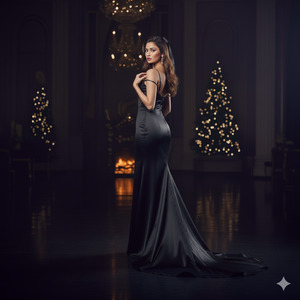
She is standing almost turned away from the camera, her upper body slightly twisted, looking back over her shoulder with a calm, confident expression. One arm rests naturally by her side while the other lightly touches the strap of her black satin dress.
Pose Variant 2: Side Profile with Soft Lean
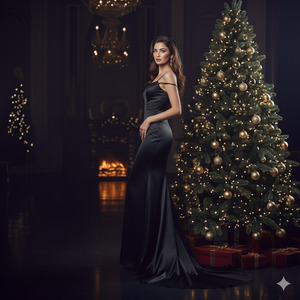
She is standing in a graceful side profile next to the Christmas tree, gently leaning her shoulder against it. Her head is slightly tilted toward the camera, eyes softly engaging, with one hand resting near her waist and the other relaxed behind her.
How to Customize This Prompt
You can easily adjust this prompt based on your preference:
- Change dress color (black, red, emerald, champagne).
- Change lip color (burgundy, nude, wine red).
- Add or remove jewelry (earrings, necklace).
- Adjust background elements (bigger tree, stronger fireplace glow).
Do not change the face section if you want an exact match with your reference image.
How to Create This Image Using Google Gemini
Follow these simple steps:
- Open Google Gemini on your browser or app.
- Paste the full prompt given above.
- Add this line at the end:
“Create an image in 9:16 aspect ratio.” - Click generate and download your image once ready.
That’s it! Your viral image is ready.
Conclusion
This luxury Christmas night AI image style is perfect for Instagram Reels, profile photos, and festive posts.
It looks professional, glamorous, and extremely realistic — exactly what viral content needs today.
Create your image using Google Gemini, post it on Instagram, and watch the engagement grow.
Don’t forget to tag your friends and inspire them to try this trending AI style too!







