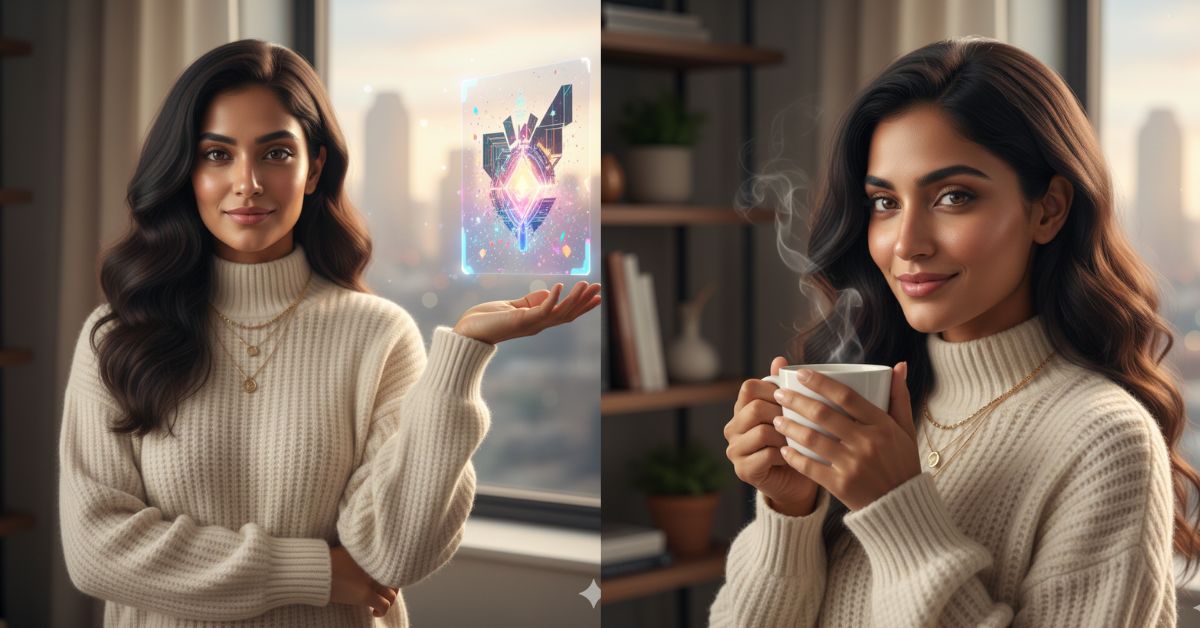
Right now, viral AI images are everywhere on Instagram and social media.
Creators are using clean, cinematic, high-quality visuals to stop the scroll and boost engagement.
The best part?
You can create the same viral-style images for free using Google Gemini, without any paid tools or complex editing skills.
In this article, I will share one perfect Google Gemini prompt that helps you generate high-quality, trending AI images in just minutes.
The Viral Prompt (Google Gemini Prompt)

Create a high-quality, ultra-realistic, cinematic AI image designed to stop the scroll on Instagram.
The image should look professional and premium, with 8K resolution, realistic textures, sharp details, and perfect lighting.
Use cinematic lighting with soft highlights and natural shadows to create depth and realism.
Ensure accurate skin texture, detailed fabric quality, and a balanced composition with a luxury editorial feel.
The overall style should be modern, trending, and visually striking, suitable for Instagram Reels and viral social media posts.
Use shallow depth of field, crisp focus on the subject, smooth background blur, and natural color grading.
Create the image in 9:16 aspect ratio (Instagram Reel size).
Pose Variant 1 – Confident Front-Facing Creator Pose
Scene & Pose: The subject is standing upright, facing the camera directly with a confident posture. One arm is folded across the body while the other hand is raised slightly, as if presenting or showcasing the creative result. The expression is calm, professional, and inspiring, suitable for a high-end AI art creator aesthetic.
Pose Variant 2 – Side Profile Thoughtful Pose

Scene & Pose: The subject is positioned in a slight side profile, shoulders angled away from the camera. One hand rests gently near the chin in a thoughtful gesture, while the other arm hangs relaxed. The gaze is directed slightly upward, giving a creative and visionary mood.
How to Customize This Prompt
You can easily personalize this prompt based on your needs.
Simply replace or add details such as:
- Subject type: man, woman, couple, product, lifestyle scene
- Mood: luxury, romantic, cinematic, minimal, bold
- Outfit or style: casual, fashion, traditional, modern
- Background: city, studio, nature, indoor, festive
For example:
- Replace “the subject” with “a stylish young woman in luxury fashion”
- Add “soft golden hour lighting” for a warmer look
Small changes can create completely new viral results.
How to Create This Image Using Google Gemini
Follow these simple steps:
- Open Google Gemini
Visit the official Google Gemini website or app. - Paste the Prompt
Copy the viral prompt given above and paste it into Gemini. - Add Image Size Instruction
Type at the end:
“Create an image in 9:16 aspect ratio.” - Generate & Download
Let Gemini generate the image, then download it in high quality.
That’s it! You now have a viral-ready AI image.
Conclusion
AI image creation is changing content creation forever, and Google Gemini makes it simple for everyone.
With the right prompt, you can create cinematic, professional, scroll-stopping images without expensive tools.
Use this prompt, experiment with small customizations, and post your creations on Instagram Reels to boost reach and engagement.
Don’t forget to stay consistent—viral success comes from creativity and regular posting.
Happy creating, and keep exploring the power of AI images!







