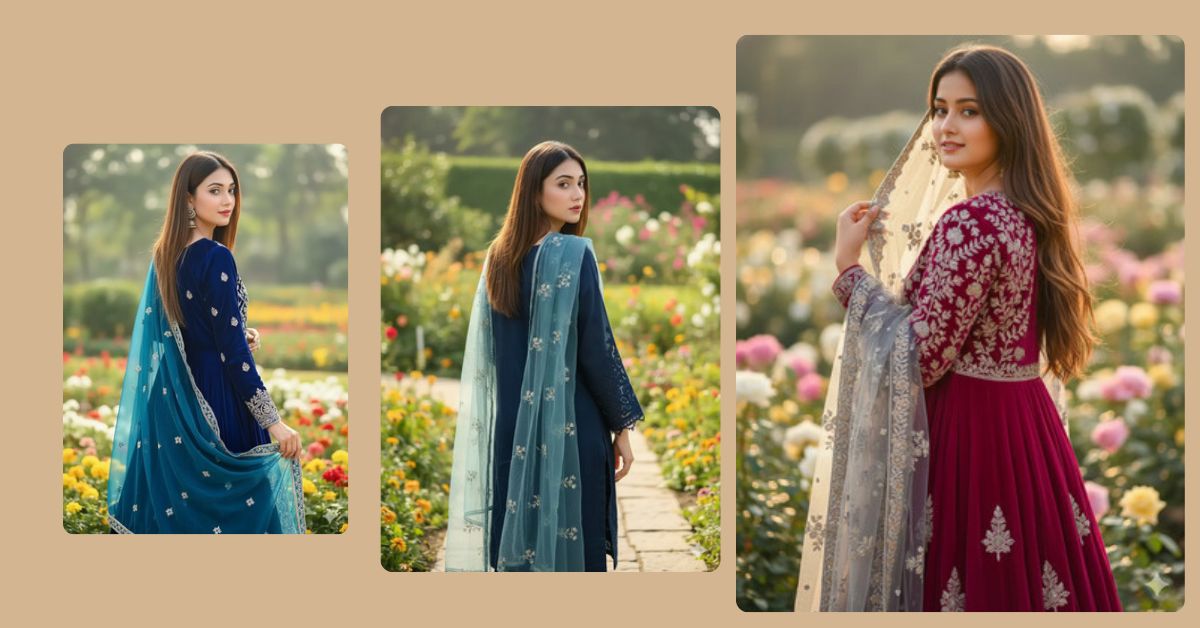
Back-pose portraits with soft dupatta styling and natural sunlight are trending on Instagram because they look elegant, mysterious, and cinematic. The mix of a floral garden, sheer dupatta, and calm posture creates a peaceful yet viral Reel aesthetic that people love to save and share.
Good news—you can create this Viral AI Image for free using Google Gemini, and make it perfect for Reels by generating it in 9:16 Aspect Ratio (Instagram Reel Size).
Why This Image Style Is Trending
This image style is popular right now because it offers:
- Graceful back-pose fashion photography
- Soft traditional Indian styling
- Natural daylight with calm vibes
- Aesthetic dupatta flow that feels cinematic
It looks simple, classy, and highly shareable on Instagram.
The Viral Prompt
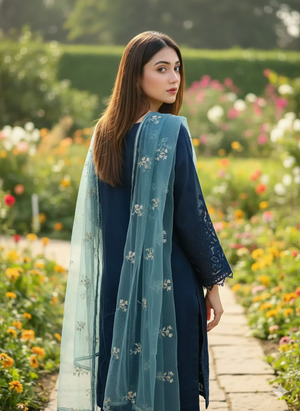
Use the uploaded image as the exact facial identity with no change to face features. Create a high-quality, ultra-realistic cinematic portrait in 8K resolution with realistic texture and soft natural lighting.
A young woman is standing sideways with her full back turned toward the camera. Her straight, medium-length hair is open with a soft brown tone. She is wearing a dark navy traditional dress with finely embroidered sleeves.
A transparent light blue dupatta with delicate floral embroidery is draped gracefully over her head and flowing naturally. She is standing in front of a beautiful flower garden during bright daytime sunlight. The sunlight creates soft highlights, natural shadows, and a calm cinematic atmosphere.
Professional DSLR photography style, sharp focus, cinematic depth of field, realistic fabric texture, peaceful aesthetic. Face features remain exactly the same as the uploaded image. No text, no watermark, no logo. Create the image in 9:16 aspect ratio (Instagram Reel size).
Pose Variant 1 – Back Pose with Head Turned Slightly (Soft Reveal Pose)
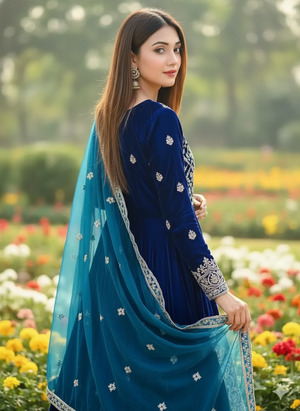
Use the uploaded image as the exact facial identity with no change to face features. Create a high-quality, ultra-realistic cinematic portrait in 8K resolution with realistic texture and soft natural lighting.
Pose: the young woman is standing with her full back turned toward the camera, while her head is gently turned slightly to one side, subtly revealing part of her profile. Her posture is calm and elegant.
All outfit details, hairstyle, dupatta styling, garden background, lighting, and overall aesthetics remain exactly the same. No text, no watermark, no logo. Create the image in 9:16 aspect ratio (Instagram Reel size).
Pose Variant 2 – Sideways Back Pose, Dupatta Held Lightly
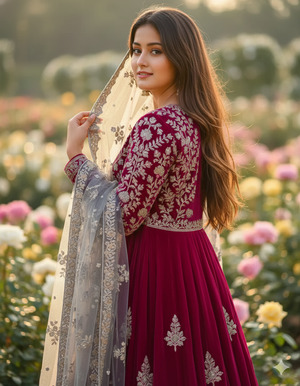
Use the uploaded image as the exact facial identity with no change to face features. Create a high-quality, ultra-realistic cinematic portrait in 8K resolution with realistic texture and soft natural lighting.
Pose: the woman stands sideways with her back mostly facing the camera, gently holding the edge of her transparent dupatta near her shoulder with one hand, creating a graceful and traditional pose.
All clothing, colors, dupatta embroidery, hairstyle, flower garden background, and daylight remain unchanged. No text, no watermark, no logo. Create the image in 9:16 aspect ratio (Instagram Reel size).
Pose Variant 3 – Back Pose Looking Down (Calm Aesthetic Pose)
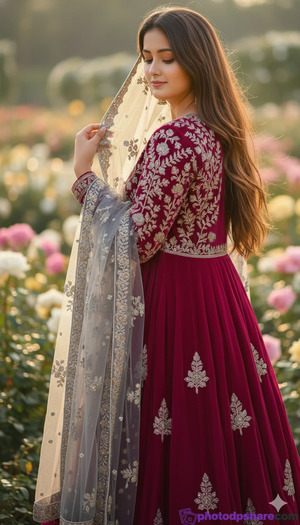
Use the uploaded image as the exact facial identity with no change to face features. Create a high-quality, ultra-realistic cinematic portrait in 8K resolution with realistic texture and soft natural lighting.
Pose: the woman is standing with her full back turned toward the camera, head gently tilted downward, creating a peaceful and calm aesthetic mood. Her body remains relaxed and still.
All outfit details, dupatta drape, hairstyle, floral garden background, bright sunlight, and cinematic styling remain exactly the same. No text, no watermark, no logo. Create the image in 9:16 aspect ratio (Instagram Reel size).
How to Customize This Prompt
You can easily personalize this Google Gemini Prompt with small changes.
Simple customization options:
- Dress color: Replace “dark navy” with black, emerald green, or maroon
- Dupatta color: Replace “light blue” with ivory or pastel pink
- Background: Replace “flower garden” with heritage courtyard or park
- Lighting: Replace “bright daytime sunlight” with soft morning light
Keep phrases like 8K, ultra-realistic, cinematic lighting, and 9:16 aspect ratio unchanged for best results.
How to Create This Image Using Google Gemini
Follow these simple steps:
- Open Google Gemini
Open Google Gemini on your phone or laptop. - Upload Your Image
Upload the reference image to keep the face unchanged. - Paste the Prompt
Paste the prompt above and type:
“Create an image in 9:16 ratio.” - Download the Image
Once generated, download the image and post it on Instagram.
Conclusion
This Trending Viral AI Image style works because it blends tradition, elegance, and calm storytelling in one beautiful frame. The back pose, soft dupatta, embroidered dress, and natural garden light create a Reel that feels peaceful and premium at the same time.
Now open Google Gemini, upload your image, paste this Google Gemini Prompt, and create your own elegant back-pose portrait. Share it on Instagram with soft music, minimal captions, and aesthetic hashtags. Don’t forget to tag sukoonprompt—your AI image could be the next calm viral trend







