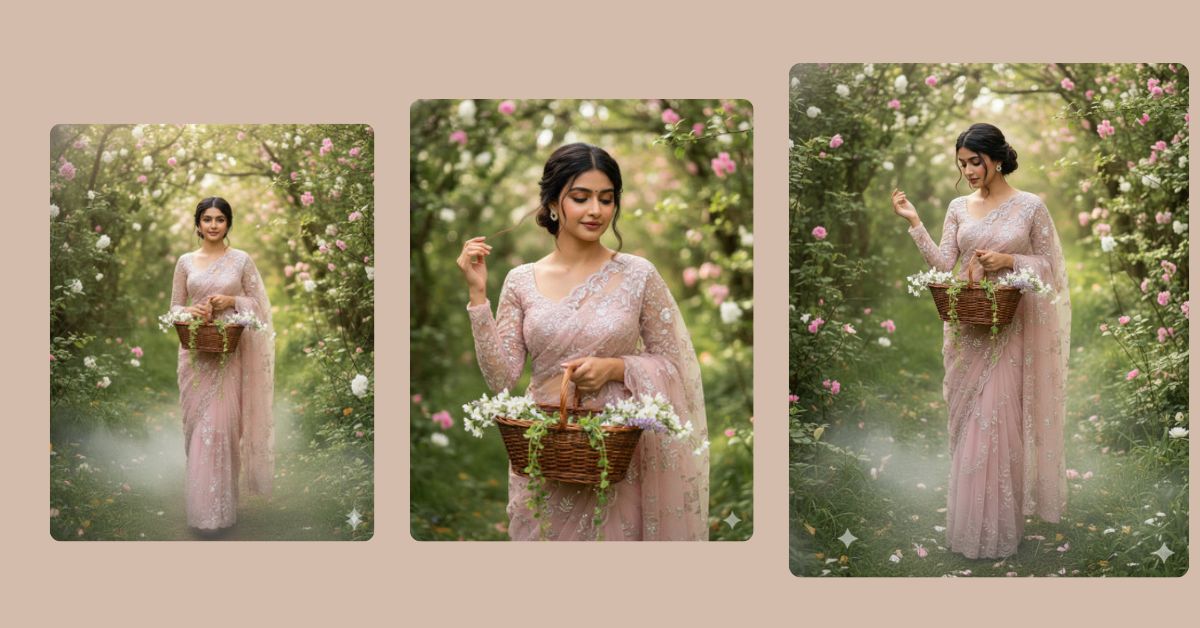
Right now, fairytale forest portraits in pastel sarees are trending massively on Instagram Reels. People love this style because it feels soft, romantic, natural, and dreamy. The mix of greenery, pastel outfits, and cinematic blur creates a calm luxury look that stops users from scrolling.
The best part is that you can create this Viral AI Image for free using Google Gemini, while keeping your original face. You only need one perfect prompt and the correct 9:16 Aspect Ratio (Instagram Reel Size).
The Viral Prompt
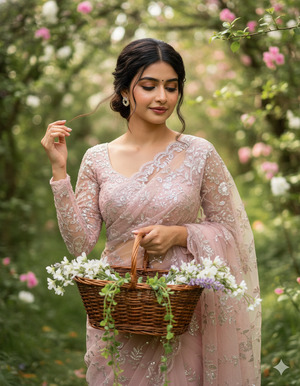
Using the uploaded reference image, create an ultra-realistic close-up cinematic portrait in 9:16 aspect ratio (Instagram Reel size), keeping the exact same original face and facial features.
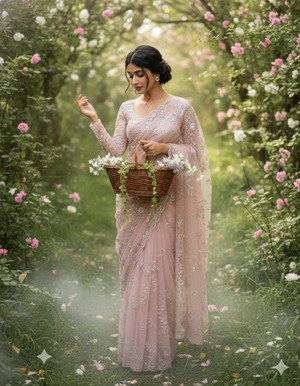
Subject: a young, elegant Indian woman walking gracefully in a lush green forest garden. She is wearing a pastel blush-pink net saree with delicate floral embroidery and a subtle shimmer, paired with a sheer embroidered full-sleeve blouse. The saree drape flows softly and naturally as she walks.
Appearance & styling: hair styled in a low messy bun with a few loose strands framing her face. Natural bridal-style makeup with soft blush, glowing skin, and a gentle smile. Her eyes are looking slightly downward, creating a calm and romantic expression.
Pose & action: one hand gently touching her hair near the bun while the other hand holds a rustic oval wicker basket filled with white and lavender flowers, with green vines hanging down naturally.
Scene & background: dense green foliage all around with soft pink and white flowers in both foreground and background. Dreamy bokeh effect, fairytale forest atmosphere.
Lighting & quality: natural diffused daylight, soft shadows, cinematic composition, shallow depth of field, ultra-sharp focus on subject, creamy background blur, DSLR photography look, 85mm lens, f/1.8, high dynamic range (HDR), photorealistic skin texture, ultra-detailed 8K resolution.
Overall mood: fairytale forest vibe, pastel color grading, romantic editorial fashion photography, luxury magazine-quality portrait.
Negative prompt: blur, low quality, harsh light, overexposed, underexposed, extra fingers, bad hands, distorted face, artificial skin, cartoon, painting, watermark, logo, text, duplicate face, bad anatomy
Pose Variant 1: Gentle Walk with Basket in Front (Soft Fairytale Motion)
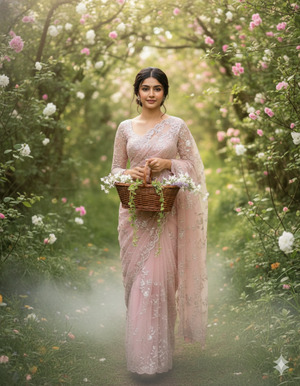
Using the uploaded reference image, create an ultra-realistic close-up cinematic portrait in 9:16 aspect ratio (Instagram Reel size), keeping the exact same original face and facial features.
Pose & action: the woman is walking slowly forward through the forest garden, holding the wicker basket with both hands in front of her at waist level. Her head is slightly tilted down, eyes softly lowered, with a gentle smile, creating a calm and dreamy fairytale expression.
All other details remain exactly the same.
Pose Variant 2: Side Profile Walk, Touching Hair (Editorial Romance)
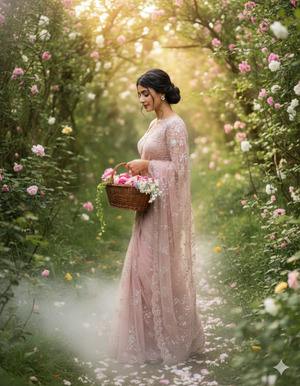
Using the uploaded reference image, create an ultra-realistic close-up cinematic portrait in 9:16 aspect ratio (Instagram Reel size), keeping the exact same original face and facial features.
Pose & action: the woman is captured in a soft side-profile angle while walking. One hand gently touches her hair near the messy bun, while the other hand holds the wicker basket by her side. Her eyes look slightly downward, expression serene and romantic.
All other details remain exactly the same.
Pose Variant 3: Paused Walk, Looking Down at Flowers (Storytelling Mood)
Using the uploaded reference image, create an ultra-realistic close-up cinematic portrait in 9:16 aspect ratio (Instagram Reel size), keeping the exact same original face and facial features.
Pose & action: the woman has paused mid-walk, holding the wicker basket close to her body and softly looking down at the flowers inside. Her shoulders are relaxed, head gently inclined, expression peaceful and thoughtful, creating a strong storytelling moment.
All other details remain exactly the same.
How to Customize This Prompt
You can easily customize this prompt to match your personal style:
- Saree Color: Replace
pastel blush-pinkwith mint green, ivory, peach, or lavender. - Flowers: Replace
white and lavender flowerswith roses, daisies, or wildflowers. - Hairstyle: Replace
low messy bunwith loose waves or braided bun. - Mood: Replace
romantic editorialwith soft festive or nature-inspired look.
Do not remove keywords like 8K resolution, cinematic composition, DSLR, and photorealistic, as they are essential for high-quality results.
How to Create This Image Using Google Gemini
Follow these simple steps to generate your Trending Viral AI Image:
- Open Google Gemini
Open Google Gemini on your mobile or desktop browser and sign in. - Upload your reference photo
Upload a clear image so Gemini keeps your exact facial features. - Paste the prompt with size instruction
Paste the full prompt and clearly type:
“Create an image in 9:16 ratio (Instagram Reel size)” - Generate and download
Generate the image and download the best result.
Conclusion
This fairytale forest saree portrait is perfect for Instagram Reels, aesthetic fashion pages, and romantic storytelling content. The pastel saree, soft greenery, and cinematic blur create a peaceful and luxury look that people love to engage with.
With just one powerful Google Gemini Prompt, you can transform your photo into a Trending Viral AI Image that looks like a scene from a fashion film. Once your image is ready, post it on Instagram with soft music, keep the caption minimal, and mention that it was created using Google Gemini. Always use 9:16 Aspect Ratio for maximum reach. Try it today and let your fairytale moment go viral







