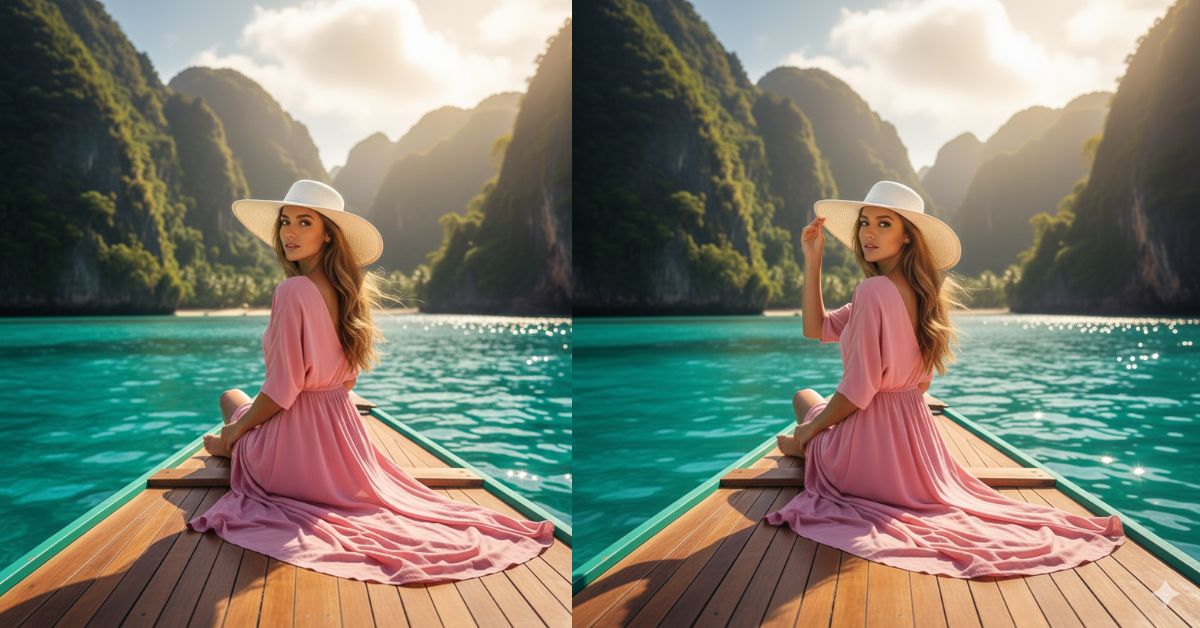
Instagram is full of luxury travel aesthetic photos right now—especially shots where a stylish person is on a boat, surrounded by turquoise water and dramatic green cliffs.
This “calm, rich, cinematic vacation” vibe feels premium and instantly stops the scroll.
The best part? You can create this Viral AI Image for free using Google Gemini, and post it as an Instagram Reel-sized image in 9:16 aspect ratio.
The Viral Prompt (Copy-Paste for Google Gemini)
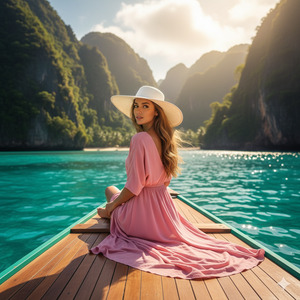
Create a hyper-realistic, ultra-detailed cinematic travel photo in 8K, Instagram Reel vertical 9:16 aspect ratio.
Scene: A young woman is sitting on the back area of a wooden boat on crystal-clear turquoise water. Massive green cliffs and lush tropical vegetation surround the bay. The atmosphere feels like luxury travel—calm, expensive, and peaceful.
Composition & Camera: The camera is positioned just behind her and slightly above, capturing a rear-side perspective. She is facing away from the camera but turns her head to look over her shoulder directly toward the lens. Keep the woman as the main subject while showing the breathtaking landscape. Medium-wide framing, natural perspective, sharp subject focus with gentle background softness.
Styling: She wears a long flowing pink dress that moves in the wind and a clean white hat. Her hair is blowing naturally with the breeze. The pose looks elegant, relaxed, and confident.
Lighting: Golden hour sunlight is behind the mountains, creating a soft warm glow and gentle rim light around the hat, hair, and dress. Add natural sun haze and subtle light bloom, with realistic reflections on the water.
Quality details: realistic skin texture, fabric texture, wood grain on the boat, water clarity with sun sparkles, soft bokeh, cinematic color grading, HDR realism, no oversharpening, no artificial look.
Negative constraints: no text, no watermark, no logos, no extra people, no distorted anatomy, no blur on the face/subject.
Pose Variant 1 (Over-Shoulder Look + Hand on Hat)
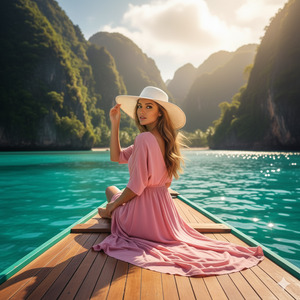
Create a hyper-realistic, ultra-detailed cinematic travel photo in 8K, Instagram Reel vertical 9:16 aspect ratio.
Scene: A young woman is sitting on the back area of a wooden boat on crystal-clear turquoise water. Massive green cliffs and lush tropical vegetation surround the bay. The atmosphere feels like luxury travel—calm, expensive, and peaceful.
Composition & Camera: The camera is positioned just behind her and slightly above, capturing a rear-side perspective. Keep the woman as the main subject while showing the breathtaking landscape. Medium-wide framing, natural perspective, sharp subject focus with gentle background softness.
POSE (only change): She sits sideways on the boat bench with her knees angled to the right. Her right hand lightly holds the brim of her white hat as wind lifts her hair. She turns her head over her left shoulder and looks directly into the camera with a soft, confident expression. Her left hand rests relaxed on her lap.
Styling: She wears a long flowing pink dress that moves in the wind and a clean white hat. Her hair is blowing naturally with the breeze.
Lighting: Golden hour sunlight is behind the mountains, creating a soft warm glow and gentle rim light around the hat, hair, and dress. Add natural sun haze and subtle light bloom, with realistic reflections on the water.
Quality details: realistic skin texture, fabric texture, wood grain on the boat, water clarity with sun sparkles, soft bokeh, cinematic color grading, HDR realism, no oversharpening, no artificial look.
Negative constraints: no text, no watermark, no logos, no extra people, no distorted anatomy, no blur on the subject.
Pose Variant 2 (Seated Forward + Arms on Boat Edge)
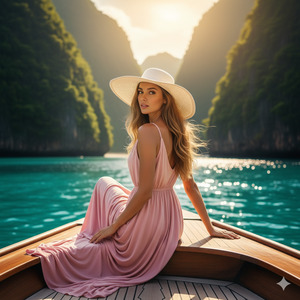
Create a hyper-realistic, ultra-detailed cinematic travel photo in 8K, Instagram Reel vertical 9:16 aspect ratio.
Scene: A young woman is sitting on the back area of a wooden boat on crystal-clear turquoise water. Massive green cliffs and lush tropical vegetation surround the bay. The atmosphere feels like luxury travel—calm, expensive, and peaceful.
Composition & Camera: The camera is positioned just behind her and slightly above, capturing a rear-side perspective. Keep the woman as the main subject while showing the breathtaking landscape. Medium-wide framing, natural perspective, sharp subject focus with gentle background softness.
POSE (only change): She sits facing forward toward the water with her back mostly to the camera, leaning slightly on the boat’s wooden edge. Both forearms rest on the edge, shoulders relaxed. She turns her head just enough to look back over her shoulder at the camera, giving a serene, quiet-luxury gaze.
Styling: She wears a long flowing pink dress that moves in the wind and a clean white hat. Her hair is blowing naturally with the breeze.
Lighting: Golden hour sunlight is behind the mountains, creating a soft warm glow and gentle rim light around the hat, hair, and dress. Add natural sun haze and subtle light bloom, with realistic reflections on the water.
Quality details: realistic skin texture, fabric texture, wood grain on the boat, water clarity with sun sparkles, soft bokeh, cinematic color grading, HDR realism, no oversharpening, no artificial look.
Negative constraints: no text, no watermark, no logos, no extra people, no distorted anatomy, no b
How to Customize This Prompt
You can personalize the image by changing a few words while keeping the style same.
Here are easy edits you can do:
- Dress color: Replace “pink dress” with “white dress / red dress / pastel blue dress”
- Hat style: Replace “white hat” with “straw hat / wide-brim hat / no hat”
- Location vibe: Replace “massive green cliffs” with “rocky islands / snowy mountains / tropical waterfall”
- Mood: Add words like “romantic”, “minimal luxury”, or “adventure travel” near the lighting line
Tip: Change only 1–2 things at a time so the result stays clean and realistic.
How to Create This Image Using Google Gemini
Step 1: Open Google Gemini
Open Google Gemini on your phone or laptop.
Step 2: Paste the Prompt
Copy the prompt from the box above and paste it into Gemini.
Step 3: Add the 9:16 Command
At the end, type: “Create an image in 9:16 ratio.”
Step 4: Download the Image
Generate the image, pick the best result, and download it for Instagram Reels
Conclusion
This Trending Google Gemini Prompt is perfect if you want a Viral AI Image that looks like a real luxury vacation photo.
The over-the-shoulder boat angle, warm golden sunlight, and turquoise water create a premium “travel influencer” vibe that performs amazingly on Instagram.
Once you create yours, post it as a Reel cover or carousel and tag your friends—because this style is made to go viral. Try it today in Google Gemini, keep it in 9:16 aspect ratio, and let your feed look like a dream trip!







