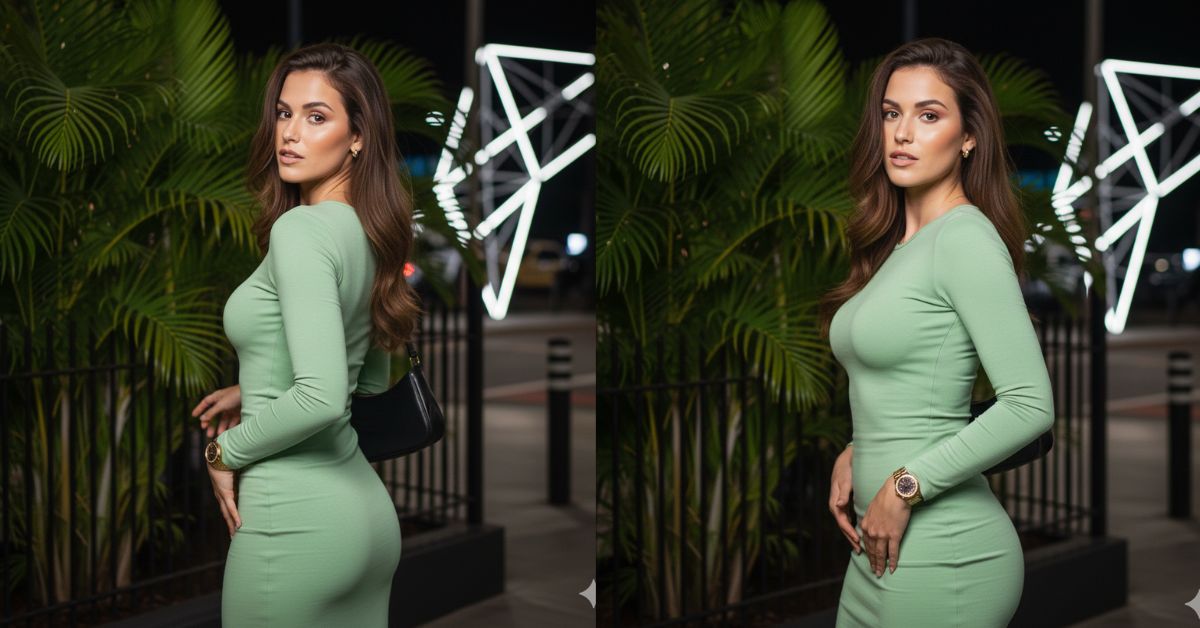
This night glamour portrait style is trending on Instagram because it looks like a high-end fashion shoot, even when it’s created with AI.
The mix of flash lighting, tropical palm leaves, and a confident over-the-shoulder pose gives that “celebrity vibe” people love in Reels.
The best part? You can create this for free using Google Gemini, and make it in 9:16 Aspect Ratio (Instagram Reel Size).
The Viral Prompt (Copy & Paste in Google Gemini)
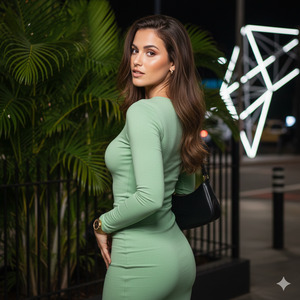
Create a hyper-realistic 8K vertical fashion portrait (9:16 aspect ratio, Instagram Reel size). Use the uploaded reference photo as the face identity. Keep the same face exactly: do not change facial proportions, eye color, skin tone, nose, lips, or expression style.
SCENE & BACKGROUND:
Night outdoor location with large palm leaves and lush green plants behind the model. A dark metal fence/tarp is visible in the back. On the left side, subtle street elements like posts and a modern geometric metal structure with soft lights. Background slightly blurred with natural depth (soft bokeh), not too strong. Colors are saturated, especially greens, with a premium nightlife vibe.
LIGHTING:
Cinematic night lighting with a clean flash/pop light on the model’s face and body, plus warm-white artificial lamps illuminating the plants. Strong contrast between light and shadow, realistic highlights on skin. Skin looks realistic with natural texture and gentle glow (editorial finish).
MODEL (KEEP FACE SAME AS REFERENCE):
A young woman, fit and naturally defined body. Long straight hair with slight waves, high volume, swept to one side. Makeup: defined eyebrows, clean glam look, natural but polished, sharp details.
OUTFIT & ACCESSORIES:
Tight baby-green bodycon dress, long sleeves, elegant and fitted. Small black shoulder bag hanging from the right shoulder, falling toward the back. Gold watch on wrist, gold earrings (minimal luxury). No logos.
POSE (IMPORTANT):
Body turned slightly away from the camera (back/side angle). Head turned over her shoulder toward the camera with a confident, sensual expression (classy, not explicit). Left arm bent behind, hand moving toward the hip, showing the curve and motion. Posture highlights the back line, hair flow, and the dress silhouette.
CAMERA & QUALITY:
Realistic photography look, high quality, ultra-detailed fabric texture, realistic hair strands, micro-contrast, sharp focus on face. Shot on a full-frame camera look, 50mm lens, f/1.8, ISO 800, shutter 1/100. Clean cinematic color grading. No blur on the face.
NEGATIVE:
No face changes, no extra fingers, no deformed hands, no warped body, no text, no watermark, no captions, no logos, no filters that change facial features.
Pose Variant 1 (Hand on railing / strong shoulder line)
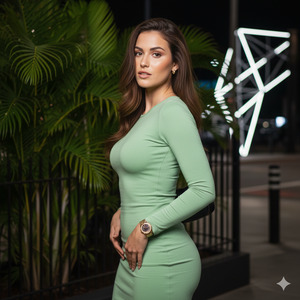
Body turned slightly away from the camera (back/side angle). She places her right hand lightly on the fence/railing behind her for support, elbow relaxed. Left hand rests on her upper thigh/hip, creating a clean S-curve. Head turns over the shoulder toward the camera, chin slightly lifted, confident expression. Hair falls over one side, showing neckline and shoulder line.
Pose Variant 2 (Hair touch / elegant “caught in motion”)
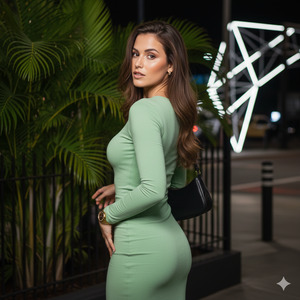
Body angled away (back/side). Left arm raised, fingers gently touching or lifting hair near the back of the head, creating a fashion-editorial silhouette. Right arm relaxed along the body with hand near the hip. Head turns over the shoulder toward the camera with a calm, confident look. Slight torso twist to emphasize back and dress fit.
How to Customize This Prompt
You can easily personalize the same Viral AI Image without changing the style.
Replace these parts in the prompt:
- Dress color: “baby-green” → “black”, “red”, “white”, “emerald green”
- Bag style: “small black shoulder bag” → “mini silver clutch”, “black quilted bag”
- Vibe: “premium nightlife” → “luxury party”, “romantic night”, “club aesthetic”
- Hair style: “swept to one side” → “center part”, “sleek ponytail”, “soft curls”
Important: Keep the line “Use the uploaded reference photo as the face identity” to maintain the same face.
How to Create This Image Using Google Gemini
Follow these simple steps:
- Open Google Gemini (app or website) and sign in.
- Upload your reference face photo first (the photo you want to keep the same).
- Paste the prompt above and add this line at the top:
“Create an image in 9:16 ratio.” - Generate the image and download your favorite result in high quality.
Conclusion
Now you have a Trending Google Gemini Prompt that can create a Viral AI Image in a stunning night fashion style.
This type of over-the-shoulder glamour portrait is perfect for Reels because it looks premium, confident, and very “editorial”.
Create your image, post it on Instagram, and let people ask, “Where did you shoot this?” 😄
If you share it, tag your post and try different dress colors while keeping the same face—your feed will look like a fashion magazine!







