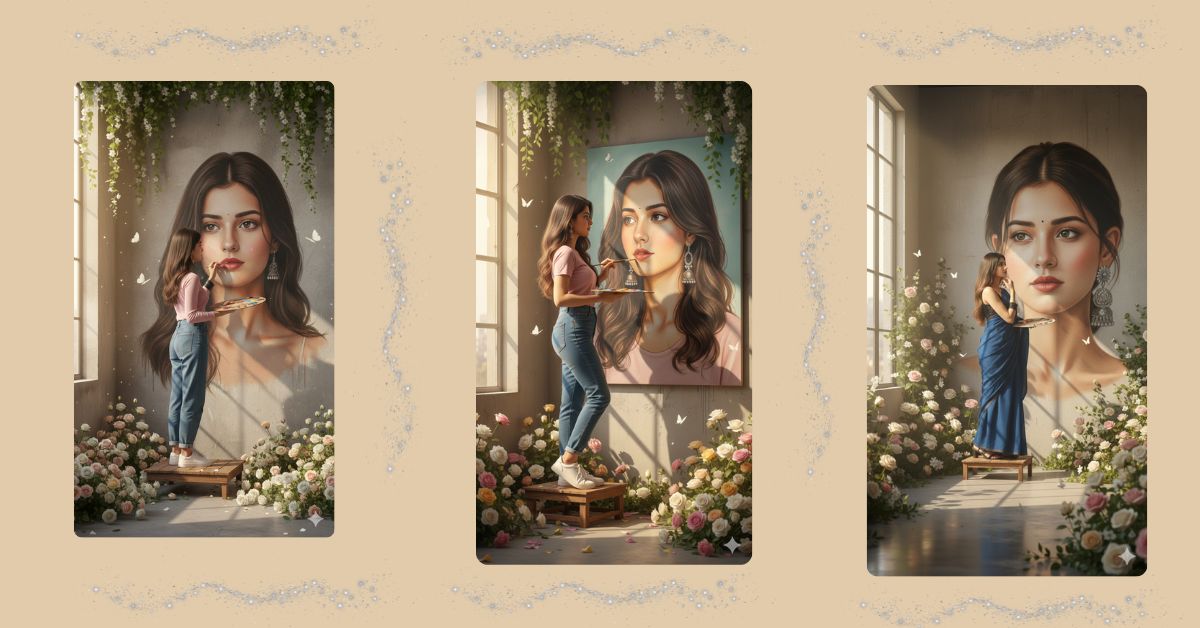
Right now, artistic self-portrait scenes are trending strongly on Instagram Reels. Images where a person is shown creating art of themselves feel deep, creative, and emotional. This concept connects very well with audiences because it shows self-expression, confidence, and creativity in one frame.
The best part is that you can create this Viral AI Image for free using Google Gemini, while keeping your face exactly the same. You just need one powerful prompt and the correct 9:16 Aspect Ratio (Instagram Reel Size).
The Viral Prompt
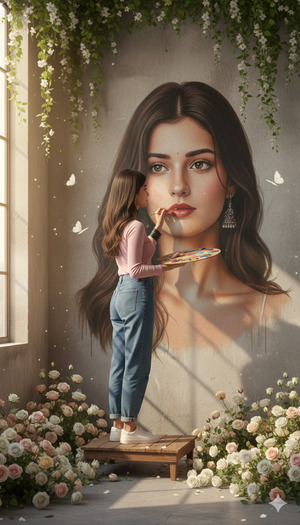
Using the uploaded reference image, create an ultra-realistic cinematic indoor art scene in 9:16 aspect ratio (Instagram Reel size), keeping the exact same original face and facial features.
Scene: a creative indoor studio where a young woman is painting a giant hyper-detailed portrait of herself on a tall concrete wall. The painted portrait must perfectly match her real face, expressions, and features.
Subject & action: the woman is standing on a small wooden platform, holding a paint palette in one hand and a paint brush in the other, carefully touching up the facial details of the large self-portrait. Her pose looks focused, calm, and artistic.
Outfit & styling: she is wearing a soft pink top, high-waisted blue jeans, and clean white sneakers. Natural makeup, realistic skin texture, casual creative look.
Environment & details: the platform and surrounding floor are decorated with lush roses in white, cream, pink, and soft yellow shades. Green leafy vines and white flowers frame the wall from above. Soft butterflies are floating gently around the artwork, adding a dreamy artistic touch.
Lighting & quality: warm natural sunlight entering from a large window on the left side, creating soft shadows and a peaceful atmosphere. Cinematic lighting, shallow depth of field, ultra-sharp focus on subject and painting, photorealistic textures, DSLR photography look, 85mm lens style, ultra-detailed 8K resolution.
Overall mood: calm, artistic, inspirational, creative storytelling scene, high-end editorial art photography.
Negative prompt: blur, low quality, harsh lighting, overexposed, underexposed, extra fingers, extra hands, distorted face, bad anatomy, artificial skin, cartoon, illustration, painting effect, watermark, logo, text, noise
Pose Variant 1: Reaching Up to Paint the Eye (Focused Artist)
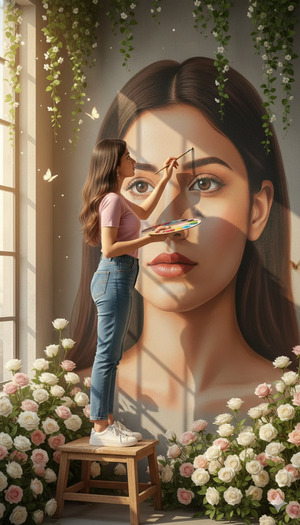
Using the uploaded reference image, create an ultra-realistic cinematic indoor art scene in 9:16 aspect ratio (Instagram Reel size), keeping the exact same original face and facial features.
Pose & action: the woman stands on the wooden platform with one foot slightly forward for balance, leaning in close to the wall. She raises her brush hand to carefully paint the eye area of the giant portrait, while the other hand holds the paint palette near her chest. Her face looks focused and calm.
All other details remain exactly the same.
Pose Variant 2: Side-Angle Painting Pose (Editorial Composition)
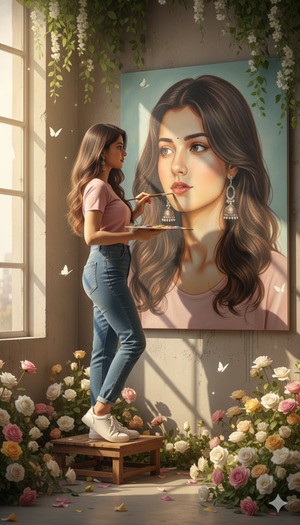
Using the uploaded reference image, create an ultra-realistic cinematic indoor art scene in 9:16 aspect ratio (Instagram Reel size), keeping the exact same original face and facial features.
Pose & action: the woman is captured in a three-quarter side angle on the platform, torso turned toward the wall. One hand holds the palette at waist level, and the other hand extends forward to paint soft details on the portrait’s cheek or lips. Her posture is graceful and artistic, expression peaceful.
All other details remain exactly the same.
Pose Variant 3: Step-Back Checking the Artwork (Creative Storytelling)
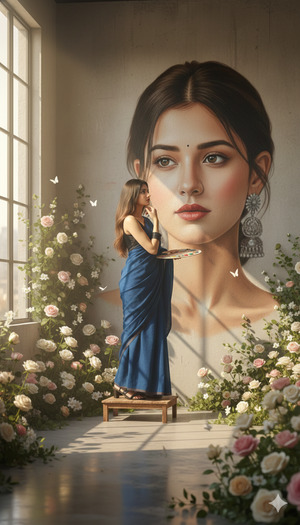
Using the uploaded reference image, create an ultra-realistic cinematic indoor art scene in 9:16 aspect ratio (Instagram Reel size), keeping the exact same original face and facial features.
Pose & action: the woman steps slightly back on the platform to review the portrait, holding the brush loosely at her side and the palette in front of her. Her head is gently tilted as she studies the painting with a calm, satisfied, thoughtful expression.
All other details remain exactly the same.
How to Customize This Prompt
You can easily personalize this prompt by changing a few words:
- Outfit Color: Replace
pink topwith white, beige, or pastel green. - Flower Colors: Replace rose colors with lavender or wildflowers.
- Wall Style: Replace
concrete wallwith textured studio wall or brick wall. - Mood: Replace
calm, artisticwith bold creative or emotional storytelling.
Keep keywords like 8K resolution, cinematic lighting, photorealistic, and same face unchanged for best results.
How to Create This Image Using Google Gemini
Follow these simple steps to generate your Trending Viral AI Image:
- Open Google Gemini
Open Google Gemini on your phone or desktop browser and log in. - Upload your reference photo
Upload a clear image so Gemini keeps your exact facial features. - Paste the prompt with size instruction
Paste the full prompt and clearly type:
“Create an image in 9:16 ratio (Instagram Reel size)” - Generate and download
Generate the image and download the best result.
Conclusion
This self-portrait wall painting AI image is perfect for Instagram Reels, art pages, and creative storytelling content. The idea of painting yourself on a giant wall feels powerful, emotional, and visually unique—exactly what goes viral today.
With just one detailed Google Gemini Prompt, you can create a Trending Viral AI Image that looks like a cinematic art film scene. Once your image is ready, post it on Instagram with calm background music, add a thoughtful caption, and mention that it was created using Google Gemini. Always remember to use 9:16 Aspect Ratio for maximum reach. Try it now and show your creativity to the world







