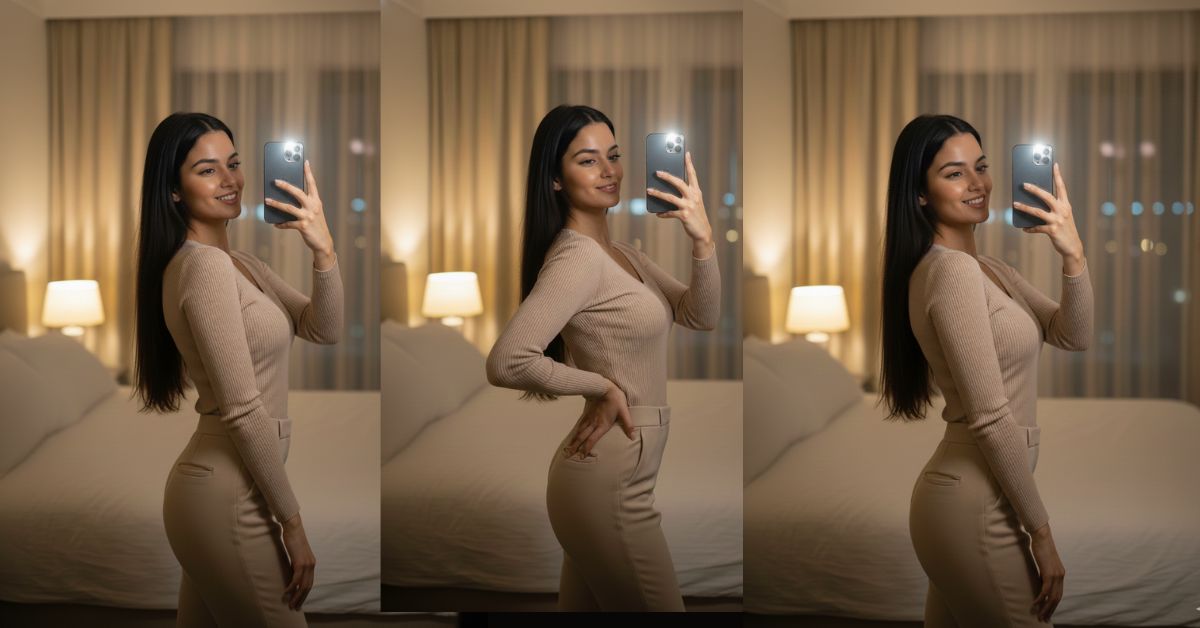
Instagram is full of warm, cozy, “soft glow” mirror selfies right now.
People love this style because it looks real, classy, and effortless, like a high-end smartphone portrait shot at night.
The best part? You can create this for free using Google Gemini—and post it as a perfect 9:16 (Instagram Reel size) image.
The Viral Prompt (Copy & Paste in Google Gemini)
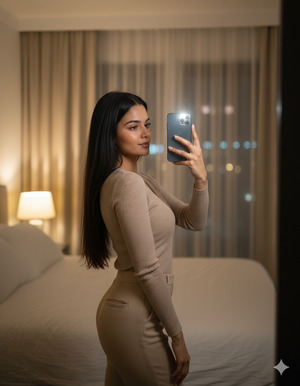
Create a hyper-realistic, high-quality 8K smartphone portrait photo in 9:16 aspect ratio (vertical Instagram Reel size). Use my uploaded reference photo to keep the SAME person and identity. Do not change facial features, face shape, skin tone, eye shape, or overall likeness. Keep the face natural and realistic.
Scene: An indoor mirror selfie taken in a modern bedroom at night. Warm, soft lighting coming from a bedside lamp (tungsten warm light) plus subtle smartphone flash reflection, creating a gentle glow on the face and soft highlights in the hair. Background shows beige curtains and a window with distant city lights at night. A bed with clean white bedding is visible behind, modern cozy room vibe.
Camera style: Shot on a smartphone, portrait mode, 26mm wide-angle look, sharp focus on face and outfit, slight background blur (soft bokeh), natural depth of field. Mild warm color grading, high sharpness, soft contrast, realistic skin texture (visible pores but smooth), cinematic yet natural.
Pose: Standing in front of a mirror taking a selfie. Body slightly turned sideways, head turned toward the mirror, soft confident expression. Left arm raised holding the phone, right arm relaxed down naturally
Lighting details: Warm ambient lamp light + gentle phone flash fill, soft shadows, clean highlight roll-off, no harsh overexposure.
Quality & style keywords: ultra realistic, 8k resolution, realistic textures, cinematic warm lighting, professional smartphone portrait, clean background blur, editorial selfie aesthetic.
Negative instructions: no text, no watermark, no logo, no cartoon/anime look, no extra fingers, no distorted hands, no face deformation, no plastic skin.
Pose Variant 1 (Classic mirror selfie)
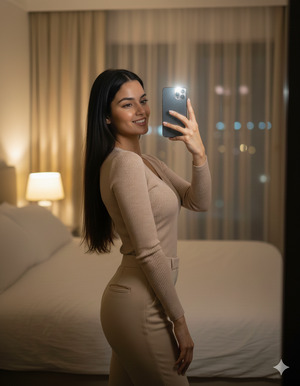
Standing in front of a mirror taking a selfie. Body slightly turned sideways, head turned toward the mirror, soft confident expression. Left arm raised holding the phone, right arm relaxed down naturally.
Pose Variant 2 (Hand-on-waist confidence)
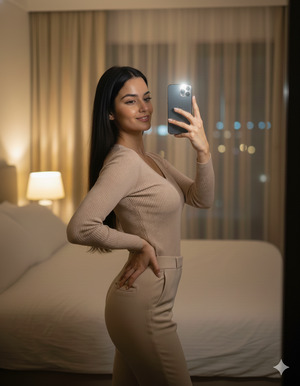
Standing in front of a mirror taking a selfie. Body slightly turned sideways, head turned toward the mirror, calm confident expression. Left arm raised holding the phone, right hand placed on the waist/hip with a relaxed posture.
How to Customize This Prompt
You can quickly personalize the result by changing a few words:
- Room vibe: Replace “modern bedroom” with “luxury hotel room” or “minimal studio bedroom”
- Curtain color: Replace “beige curtains” with “white curtains” or “grey curtains”
- City lights intensity: Replace “distant city lights” with “bright skyline lights” or “soft street lights”
- Expression: Replace “soft confident expression” with “gentle smile” or “calm serious look”
- Outfit details: Add your outfit line like: “Outfit: black dress / oversized hoodie / satin top”
Keep the line “Use my uploaded reference photo to keep the SAME person and identity” unchanged.
How to Create This Image Using Google Gemini (4 Steps)
- Open Google Gemini (app or website) and sign in.
- Upload your reference photo (the photo you want Gemini to follow).
- Paste the prompt above and add this line at the end:
“Create an image in 9:16 ratio.” - Generate and download the best result in full quality for Instagram Reels.
Conclusion
This Trending Viral AI Image style is perfect if you want a luxury, realistic, warm night selfie that looks like it was clicked on a premium phone in a cozy bedroom.
Because the lighting is warm and the background has soft city bokeh, your final image looks cinematic, intimate, and very Instagram-ready.
Now try it in Google Gemini, generate your 9:16 image, and post it as a Reel!
When you upload it, use a simple caption like “Night glow vibes ✨” and tag Techy Gabru so more people can discover your creation. Keep experimenting with small changes (curtains, lamp brightness, expression), and you’ll get a new viral look every time!







