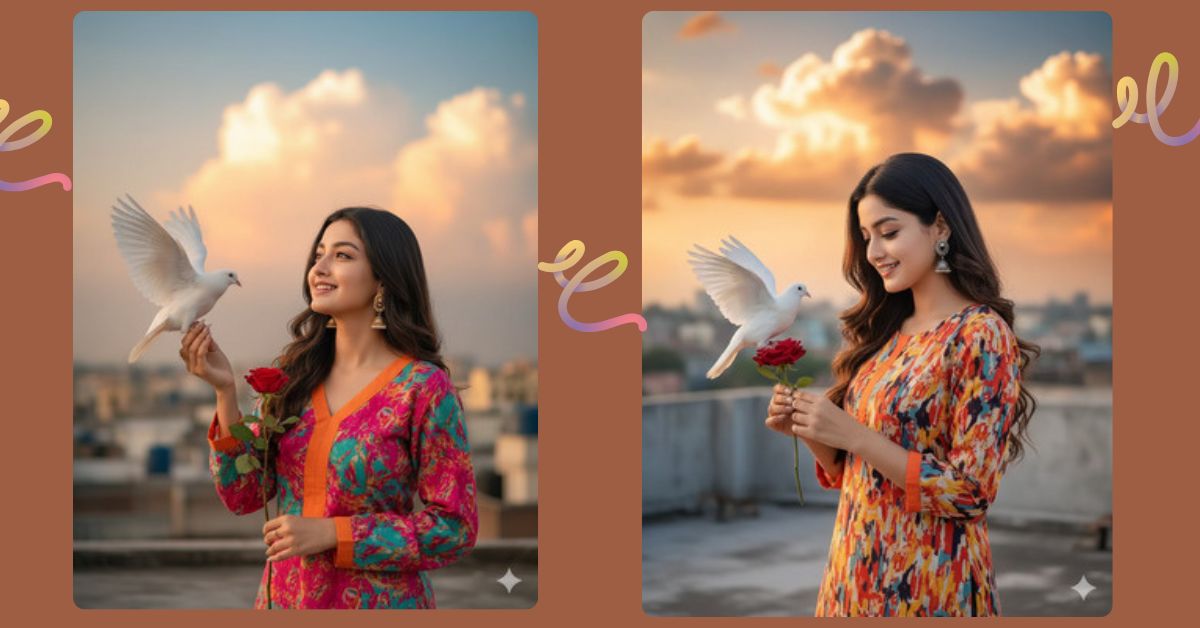
Cinematic, hyper-realistic portraits of young women are trending on Instagram and social media.
This golden hour rooftop style, with a bird or flower as a prop, feels warm, elegant, and photorealistic, instantly catching viewers’ attention.
Now, you can create this Viral AI Image for free using Google Gemini, without needing cameras or studios.
We’ll guide you to make a 9:16 aspect ratio portrait, perfect for Instagram Reels and Stories.
The Viral Prompt
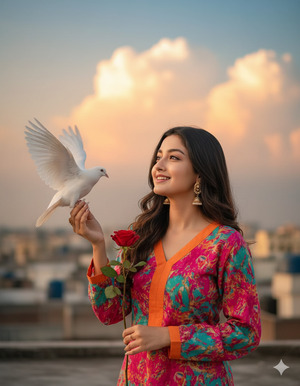
Create a photorealistic 8K cinematic medium shot portrait of a young South Asian woman (100% likeness to the uploaded image, no alteration). She stands on a rooftop during golden hour, smiling and looking up to her left at a white dove perched on her outstretched left hand. The dove has its wings fully spread. She holds the stem of a single red rose in the same hand.
She has long, dark, wavy hair and wears a vibrant, multi-colored abstract print kurti (tunic) with long sleeves and an orange-trimmed V-neck. Elegant dangling earrings complete her look. The background is a blurry cityscape with a dramatic sky, soft fluffy clouds glowing orange and yellow near the horizon, blending into soft blue above. Lighting is warm, soft, cinematic, with ultra-realistic skin textures and professional composition. No text, no watermark. Maintain 9:16 aspect ratio for Instagram Reel.
Pose Variant 1 – Looking at the Rose
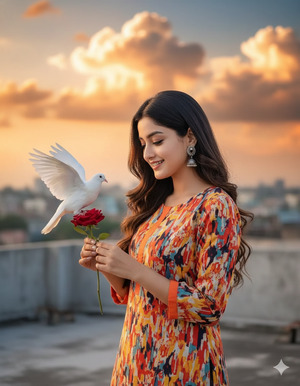
Create a photorealistic 8K cinematic medium shot portrait of the same young South Asian woman (100% likeness to the uploaded image, no alteration). She stands on a rooftop during golden hour, smiling softly while looking down at the single red rose in her outstretched left hand. The white dove perches gently on the rose stem, wings slightly open.
She has long, dark, wavy hair and wears the same vibrant, multi-colored abstract print kurti with long sleeves and orange-trimmed V-neck. Elegant dangling earrings complete her look. Background is a blurry cityscape with dramatic golden hour sky, soft clouds glowing orange and yellow near the horizon blending into soft blue above. Warm, soft cinematic lighting, ultra-realistic skin textures, professional composition. No text, no watermark. Maintain 9:16 aspect ratio.
How to Customize This Prompt
You can adjust the prompt easily to match your preferences:
- Change kurti color or pattern to any style you like
- Swap the dove for a different bird or butterfly
- Adjust the flower (rose, lily, tulip)
- Change the background sky for sunrise, sunset, or soft cloud effects
Always keep “100% likeness, no alteration” if you want the same face as your uploaded image.
How to Create This Image Using Google Gemini
Follow these 4 simple steps:
- Open Google Gemini
- Paste the Viral Prompt above
- Add the instruction: “Create an image in 9:16 ratio”
- Generate and download your cinematic AI portrait
Your photorealistic rooftop golden hour portrait is ready for Instagram Reels or Stories.
Conclusion
This hyper-realistic rooftop golden hour portrait combines elegance, cinematic lighting, and photorealistic style to create a scroll-stopping image.
It’s perfect for Instagram Reels, Stories, or fashion and lifestyle posts.
Use Google Gemini to bring your creativity to life. Share your masterpiece on Instagram, inspire your followers, and make your social media posts stand out with professional AI art!







