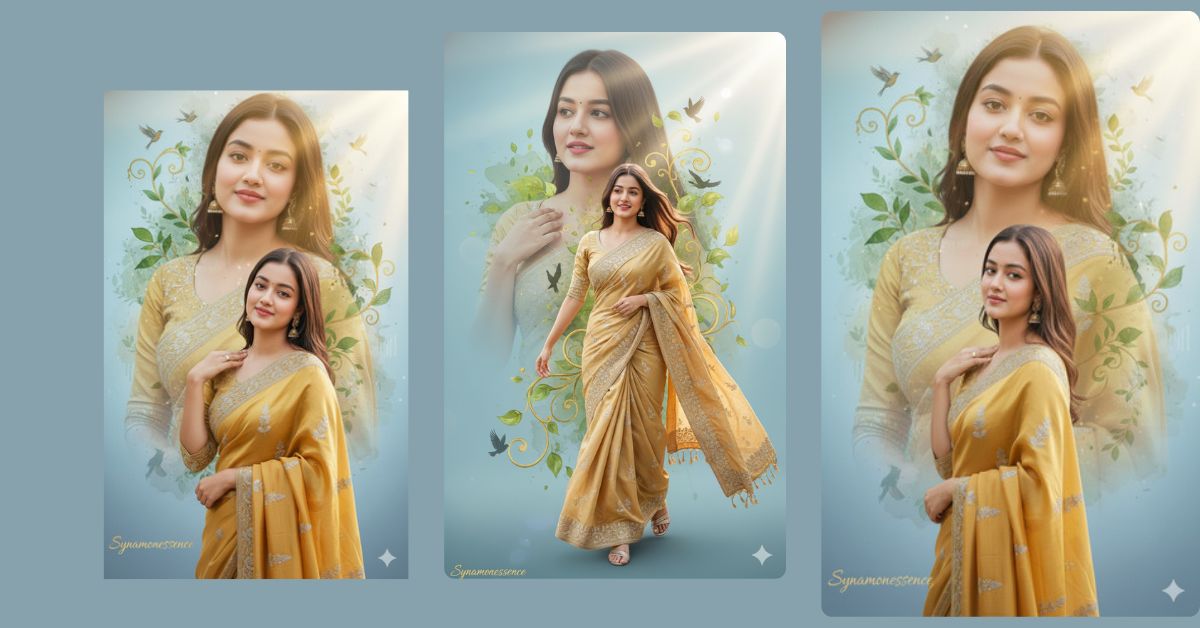
Royal double-exposure portraits are trending heavily on Instagram Reels right now.
This style mixes traditional Indian fashion with dreamy cinematic art, which looks premium and emotional at the same time.
The best part?
You can create this viral AI image for FREE using Google Gemini, even without any editing skills. You only need one powerful prompt and the correct 9:16 aspect ratio for Instagram.
In this article on Techy Gabru, I will give you one perfect Google Gemini prompt that creates a stunning royal saree double-exposure image.
The Viral Prompt
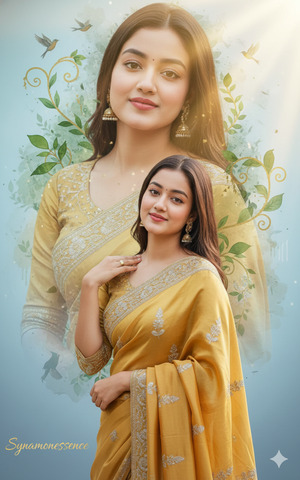
Create a high-quality, ultra-realistic, cinematic double-exposure portrait of a young Indian woman aged 20–30 years.
Foreground: The woman is wearing a royal gold saree with elegant silver embroidery, rich fabric texture, and realistic folds. She is standing confidently, smiling softly, with one hand gently resting on her shoulder. Her posture is graceful and elegant. Natural skin texture, realistic facial details, soft highlights, and shadows.
Background (Double Exposure): A large semi-transparent portrait of the same woman wearing a traditional kurta appears behind her. This portrait is blended artistically using a watercolor-style effect with soft green leaves, golden vines, and birds flying naturally across the scene.
Lighting & Mood: Soft sunlight rays entering from the top-right corner, creating an ethereal, dreamy, and cinematic atmosphere. Light blue gradient background with smooth transitions.
Text: At the bottom-left corner, add the text “Synamonessence” in elegant gold cursive font, subtle and premium, not overpowering the image.
Quality & Style: Ultra-realistic, 8K resolution, high detail, cinematic lighting, realistic fabric texture, professional DSLR photography look, soft depth of field, clean background, no watermark, no distortion.
Create an image in 9:16 aspect ratio (Instagram Reel size).
Pose Variant 1 – Elegant Side Turn (Graceful & Soft)
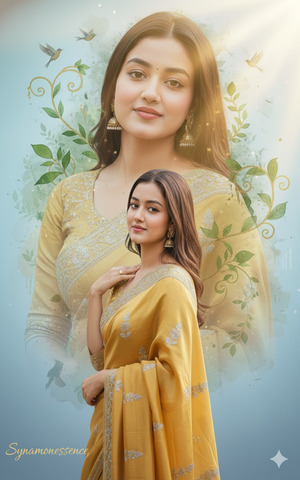
The woman stands gracefully with her body slightly turned to the side, head gently tilted toward the camera. One hand rests softly near her collarbone while the other hand relaxes by her side, holding the saree pleats lightly. Her expression is calm, confident, and serene, giving a timeless royal feel.
Pose Variant 2 – Front Facing Royal Confidence (Strong & Regal)
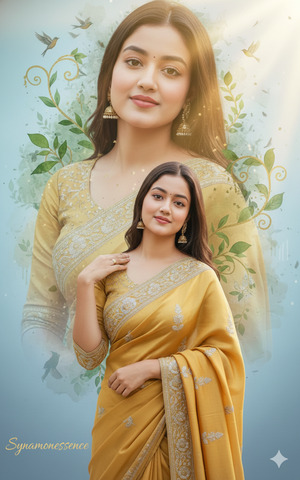
Google GeminiThe woman stands facing the camera directly with a confident royal posture. Both shoulders are straight, chin slightly lifted. One hand rests on her shoulder while the other hand is placed at her waist, showcasing elegance and strength. Her soft smile adds warmth to the powerful stance.
Copied to clipboard!
Pose Variant 3 – Walking Motion Pose (Dreamy & Cinematic)
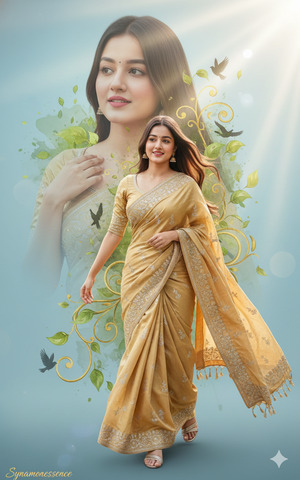
Google GeminiThe woman is captured mid-step as if walking slowly forward. Her saree flows naturally with gentle movement. One hand holds the saree drape while the other hand brushes near her shoulder. Her face carries a soft smile with eyes looking slightly away, creating a dreamy cinematic motion effect.
Copied to clipboard!
How to Customize This Prompt
You can easily personalize this prompt to match your style:
- Age: Replace
20–30 yearswith your preferred age - Saree Color: Change
royal goldto red, emerald green, ivory, or pastel shades - Text Name: Replace
"Synamonessence"with your brand name or Instagram username - Background Elements: Swap leaves or birds with flowers, peacock feathers, or abstract patterns
Do not change the lighting and quality words if you want the same viral look.
How to Create This Image Using Google Gemini
Follow these simple 4 steps:
- Open Google Gemini
- Paste the viral prompt given above
- Add this line at the end if needed:
“Create an image in 9:16 ratio” - Generate and download the image
That’s it. Your Instagram-ready AI image is done
Conclusion
This royal saree double-exposure AI image style is perfect for Instagram creators, fashion pages, personal brands, and aesthetic reels.
It looks expensive, emotional, and cinematic—exactly what goes viral today.
Create your image using Google Gemini, post it as a Reel, and watch people ask,
“Which app did you use?”
If you loved this prompt, share your creation on Instagram and tag Techy Gabru for more viral AI trends.







