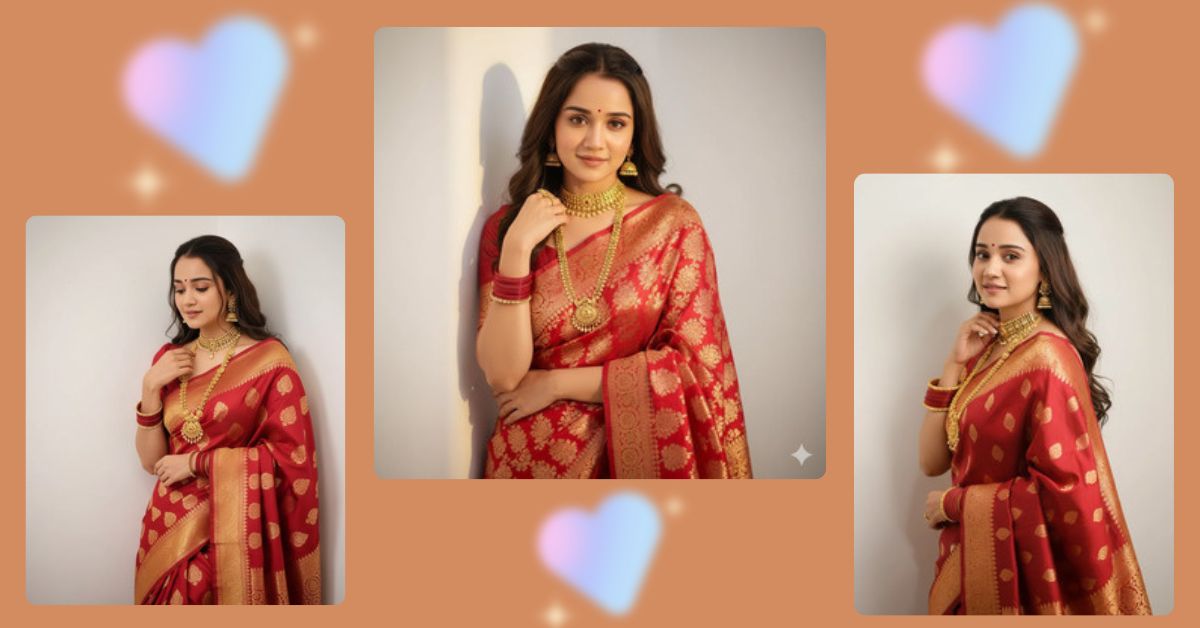
Traditional Indian saree portraits are trending massively on Instagram and Reels right now.
Soft expressions, rich Banarasi silk, and cinematic lighting create an elegant and viral look that people love to share.
The best part?
You can create this high-quality viral AI image for FREE using Google Gemini, without any editing skills.
The Viral Prompt (Google Gemini Prompt)
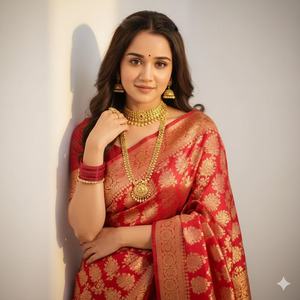
Create a photorealistic ultra-HD cinematic portrait of a fair Indian woman with an elegant, fit hourglass body, leaning gently against a clean white wall. She is wearing a rich red Banarasi silk saree with intricate gold motifs and a perfectly matching blouse. Her jewelry is traditional and heavy, including detailed gold jhumka earrings, a gold choker necklace, a long layered rani haar, and red bangles on her wrist.
Her hair is styled in loose, soft waves, with a small red bindi on her forehead. The pose is shy and graceful — her head slightly tilted downward, one hand resting softly near her neck, and a gentle, warm smile on her face.
Lighting is warm and flattering, creating a soft glow on her skin with sharp focus and beautiful depth. Shot in an 85mm cinematic portrait style with realistic skin texture, natural tones, high contrast, and professional color grading.
Ensure the face matches the uploaded reference image with 100% accuracy and no alterations. High quality, 8K resolution, realistic fabric texture, cinematic lighting, shallow depth of field.
Create the image in 9:16 aspect ratio.
Pose Variant 1 – Elegant Side Lean (Classic Shy Look)
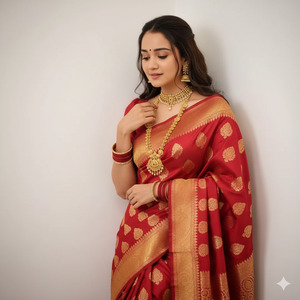
Create a photorealistic ultra-HD cinematic portrait of a fair Indian woman with an elegant, fit hourglass body, leaning softly against a white wall. She stands in a relaxed side-lean pose, shoulder touching the wall, head gently tilted downward. One hand lightly holds the edge of her saree pallu near her collarbone, while the other rests naturally by her side. Her expression is shy and graceful with a soft smile. Warm cinematic lighting, 85mm portrait lens look, realistic skin texture, rich red Banarasi silk saree with gold motifs, heavy traditional gold jewelry. Ensure face matches the reference image 100% with no alteration. Create in 9:16 aspect ratio, 8K quality.
Pose Variant 2 – Over-the-Shoulder Glance
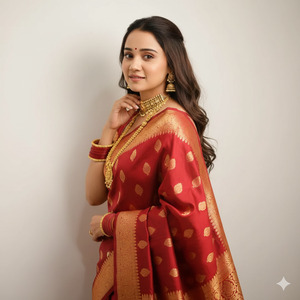
Create a photorealistic ultra-HD cinematic portrait of a fair Indian woman in a red Banarasi silk saree with gold motifs, standing near a white wall. Her body is angled slightly away from the camera while she looks back over her shoulder with a shy, gentle smile. One hand softly touches her neck, highlighting her gold choker and rani haar, while the other holds the saree pleats. Loose wavy hair frames her face with a small bindi visible. Warm lighting, shallow depth of field, 85mm cinematic style, realistic textures. Face must be 100% identical to the reference image. Create in 9:16 aspect ratio, 8K resolution.
How to Customize This Prompt
You can easily personalize this prompt:
- Replace saree color (red) with green, maroon, royal blue, or pastel shades.
- Change jewelry style (light jewelry or bridal jewelry).
- Adjust pose details like head tilt or hand position.
- Add festival themes like wedding, Karwa Chauth, or Diwali.
Do not remove the line about face matching reference if you want accurate results.
How to Create This Image Using Google Gemini
Follow these simple steps:
- Open Google Gemini on your phone or computer.
- Paste the viral prompt given above.
- Type clearly:
“Create an image in 9:16 ratio” - Generate the image and download your favorite result.
That’s it — no paid tools needed.
Conclusion
This elegant Banarasi saree AI portrait style is perfect for Instagram Reels, profile pictures, festive posts, and even wedding content. The combination of traditional fashion, soft expressions, and cinematic lighting makes it highly shareable and trending.
Create your image using Google Gemini, post it proudly on Instagram, and don’t forget to tag your friends who love saree looks.
Your AI-generated traditional portrait can easily go viral







