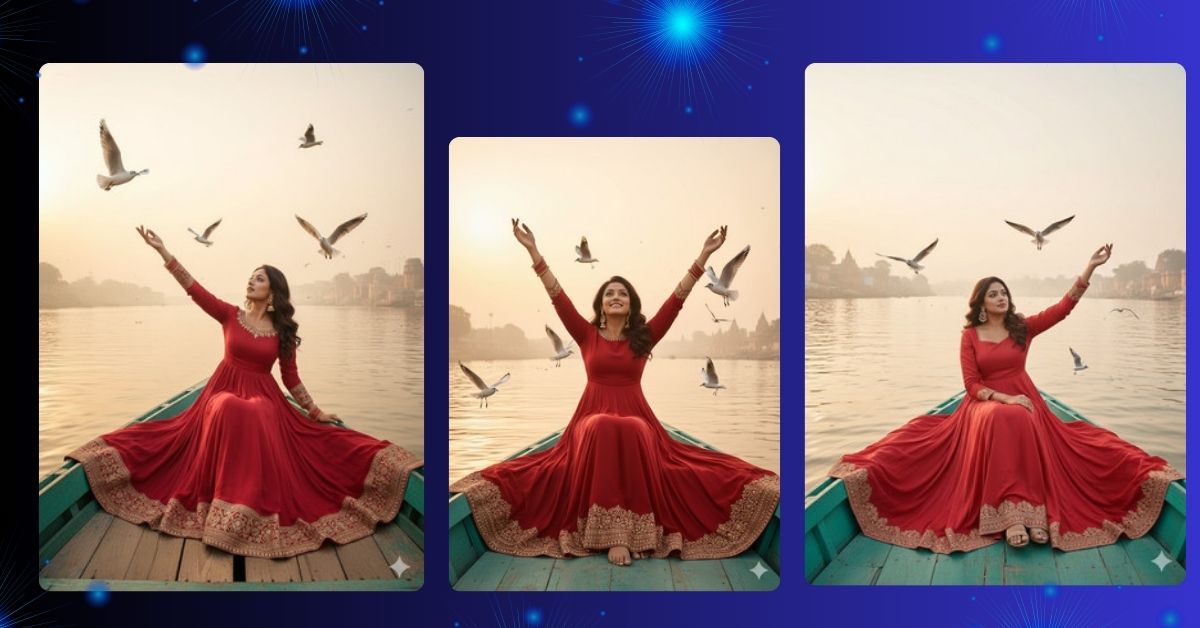
Cinematic and ultra-realistic portraits on rivers are currently trending on Instagram and social media.
This style highlights ethereal lighting, dreamy compositions, and vibrant traditional attire, making it visually striking and highly shareable.
People love this look because it feels like a scene from a premium Bollywood movie or a photorealistic editorial photoshoot.
You can create this Viral AI Image for free using Google Gemini, while keeping your face 100% identical to the reference image.
The Viral Prompt (Google Gemini AI Image Prompt)
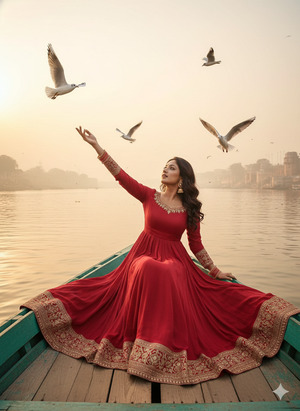
Create an ultra-photorealistic cinematic portrait of a woman sitting on a teal wooden boat in the middle of a wide river, keeping her face 100% identical to the uploaded reference image without any alterations. She is wearing a red silk full-sleeve anarkali suit with a gold embroidered border. Her hair is fully open with soft curls, and she is wearing big ornate earrings with bangles. The anarkali is spread elegantly across the boat. She has one arm outstretched toward the sky, while several seagulls fly closely around her. The background shows a misty golden-hour horizon with the ghats of Varanasi along the riverbank. Soft, ethereal lighting casts a warm glow on the water. The composition is dreamy, peaceful, with shallow depth of field. High quality, ultra-realistic, 8K resolution, cinematic lighting, realistic skin texture, photorealistic details. Create an image in 9:16 aspect ratio.
Pose Variant 1: Both Hands Raised Toward Sky
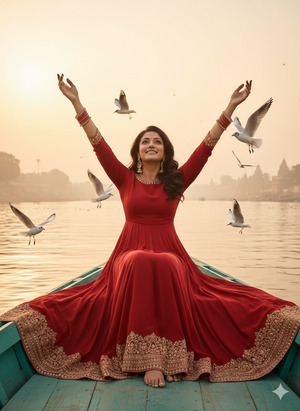
Create an ultra-photorealistic cinematic portrait of a woman sitting on a teal wooden boat in the middle of a wide river, keeping her face 100% identical to the uploaded reference image without any alterations. She is wearing a red silk full-sleeve anarkali suit with a gold embroidered border. Her hair is fully open with soft curls, and she is wearing big ornate earrings with bangles. The anarkali is spread elegantly across the boat. Both of her hands are raised toward the sky as several seagulls fly closely around her. The background shows a misty golden-hour horizon with the ghats of Varanasi along the riverbank. Soft, ethereal lighting casts a warm glow on the water. High quality, ultra-realistic, 8K resolution, cinematic lighting, realistic skin texture, photorealistic details. Create an image in 9:16 aspect ratio.
Pose Variant 2: One Hand Resting on Knee, Other Hand Outstretched
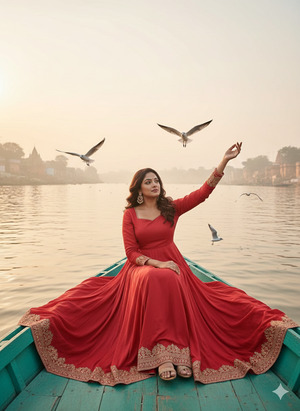
Create an ultra-photorealistic cinematic portrait of a woman sitting on a teal wooden boat in the middle of a wide river, keeping her face 100% identical to the uploaded reference image without any alterations. She is wearing a red silk full-sleeve anarkali suit with a gold embroidered border. Her hair is fully open with soft curls, and she is wearing big ornate earrings with bangles. The anarkali is spread elegantly across the boat. One hand rests gently on her knee while the other hand is outstretched toward the sky, with several seagulls flying nearby. The background shows a misty golden-hour horizon with the ghats of Varanasi along the riverbank. Soft, ethereal lighting casts a warm glow on the water. High quality, ultra-realistic, 8K resolution, cinematic lighting, realistic skin texture, photorealistic details. Create an image in 9:16 aspect ratio.
How to Customize This Prompt
You can adjust the Google Gemini prompt easily:
- Change outfit color or style (red anarkali → pastel, blue, or modern gown)
- Modify background details (Varanasi ghats → river sunset, forest, or cityscape)
- Adjust pose or gestures (arm outstretched → hands together, looking sideways, or clapping)
- Add accessories (bangles, earrings, or headpiece)
- Tweak lighting (golden hour → morning light, sunset glow, or soft overcast)
Always keep “face 100% identical” for realistic results.
How to Create This Image Using Google Gemini
Follow these 4 simple steps:
- Open Google Gemini on your mobile or desktop.
- Paste the prompt given above.
- Add this line at the end:
“Create an image in 9:16 aspect ratio” - Generate the image and download it.
Your Instagram-ready, cinematic Varanasi river AI portrait is now ready.
Conclusion
This Viral Google Gemini cinematic portrait is perfect for Instagram Reels, editorial content, or traditional fashion photography posts.
The dreamy pose, flowing red anarkali, seagulls, and golden-hour light create a peaceful, photorealistic, movie-like composition.
Use Google Gemini to create your masterpiece, share it on Instagram, and inspire others with your cinematic AI creations.
Bring the magic of Varanasi rivers and traditional fashion to life with this stunning AI-generated portrait.







