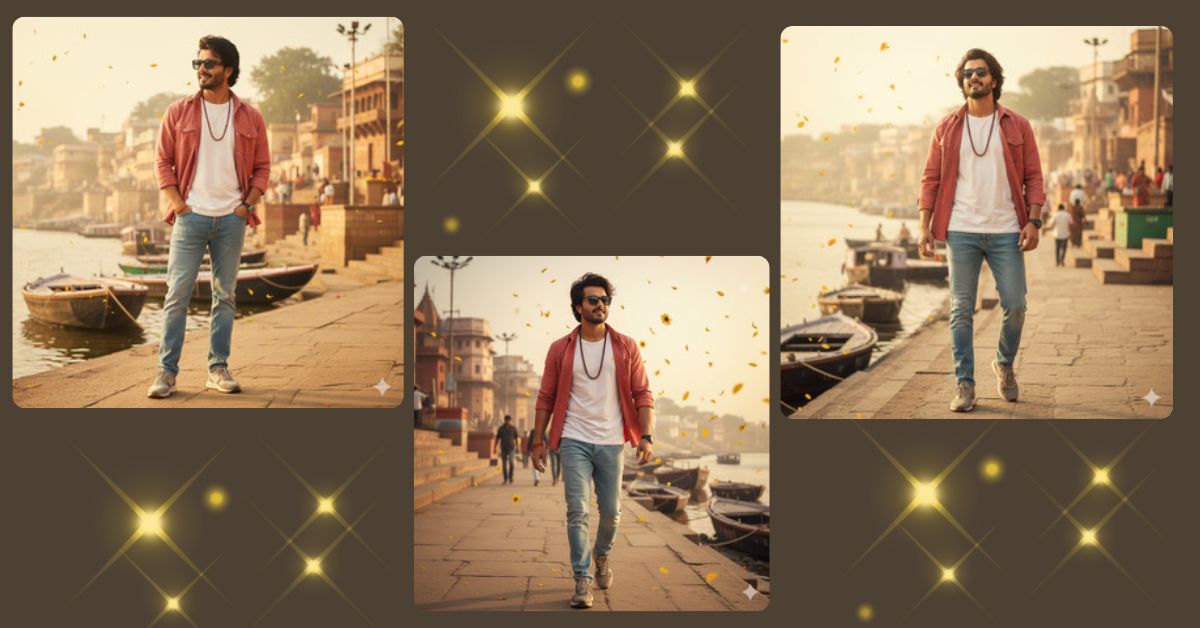
Cinematic Bollywood-style portraits inspired by dreamy songs and iconic locations are trending fast on Instagram Reels.
Wide-angle shots, flowing wind, warm colors, and emotional expressions make these images feel like a movie scene.
You can create this Viral AI Image for free using Google Gemini, with full cinematic quality and a perfect 9:16 aspect ratio made for Instagram Reels.
The Viral Prompt (Google Gemini Prompt)
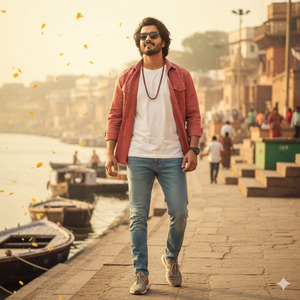
Generate a hyper-realistic, cinematic 8K wide-angle portrait of a Muslim young man using the uploaded reference image with 100% facial accuracy and no face changes. He is standing confidently on the Varanasi ghat, styled like a professional photoshoot scene with a dreamy, happy, and confident expression.
He wears a light red open-button shirt layered over a white t-shirt, light blue jeans, stylish shoes, a single rudraksh necklace, and rectangular black sunglasses. His face is clear and sharply focused. The atmosphere is windy, with gentle movement in clothes and hair.
The background shows the full Varanasi ghat in rich detail, steps, river, boats, and people softly visible, creating depth. Add cinematic lighting inspired by warm golden tones, a dreamy mood similar to a Bollywood romantic song aesthetic. Include subtle sunflower petals falling in the air like rain for a magical touch.
Ultra-realistic skin texture, realistic fabric details, high contrast cinematic lighting, soft highlights, shallow depth of field, movie-quality color grading. Masterpiece, professional photography, 8K resolution. Create an image in 9:16 aspect ratio.
Pose Variant 1: Walking Forward with Confidence
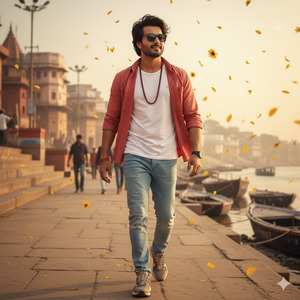
Generate a hyper-realistic, cinematic 8K wide-angle portrait of a Muslim young man using the uploaded reference image with 100% facial accuracy and no face changes. He is walking forward confidently on the Varanasi ghat, mid-step like a movie scene, with a dreamy, happy, and confident expression.
He wears a light red open-button shirt layered over a white t-shirt, light blue jeans, stylish shoes, a single rudraksh necklace, and rectangular black sunglasses. Wind gently moves his shirt and hair, creating a cinematic motion feel
The full Varanasi ghat is visible in the background with steps, river, boats, and people softly blurred. Warm golden cinematic lighting inspired by a Bollywood romantic song aesthetic. Subtle sunflower petals falling in the air. Ultra-realistic skin texture, realistic fabric detail, movie-quality color grading. Masterpiece, 8K resolution. Create an image in 9:16 aspect ratio.
Pose Variant 2: Hands in Pockets, Looking Sideways
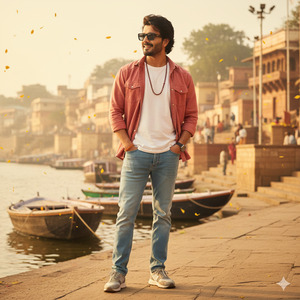
Generate a hyper-realistic, cinematic 8K wide-angle portrait of a Muslim young man using the uploaded reference image with 100% facial accuracy and no face changes. He is standing still on the Varanasi ghat with both hands casually inside his jeans pockets, body facing forward while looking sideways with a confident, dreamy smile.
He wears a light red open-button shirt over a white t-shirt, light blue jeans, stylish shoes, a rudraksh necklace, and rectangular black sunglasses. Wind adds natural motion to his outfit.
The background shows the entire Varanasi ghat with river and steps in cinematic depth. Warm golden lighting, soft highlights, Bollywood-style dreamy mood. Sunflower petals floating gently in the air. Ultra-realistic, professional photography look, 8K resolution. Create an image in 9:16 aspect ratio.
How to Customize This Prompt
You can easily personalize this prompt by changing small details:
- Outfit colors → change shirt or jeans color
- Accessories → remove sunglasses or add a watch
- Expression → confident smile, calm look, or joyful gaze
- Weather → sunrise glow, evening light, or misty morning
- Petal effect → replace sunflower petals with flower petals or dust particles
Just replace the words before generating the image.
How to Create This Image Using Google Gemini
Follow these simple steps:
- Open Google Gemini on your phone or computer
- Paste the prompt given above
- Add this line: “Create an image in 9:16 ratio”
- Generate and download your image
Your cinematic Instagram Reel image is ready.
Conclusion
This Varanasi ghat cinematic AI portrait is perfect for Instagram Reels, profile highlights, and aesthetic storytelling.
The wide-angle view, dreamy lighting, and confident pose make it look like a real movie still.
Use Google Gemini to turn your vision into a viral AI image, post it on Instagram, and let your followers feel the cinematic magic.
Stay connected with Techy Gabru for more trending Google Gemini prompts and Viral AI Image ideas.







