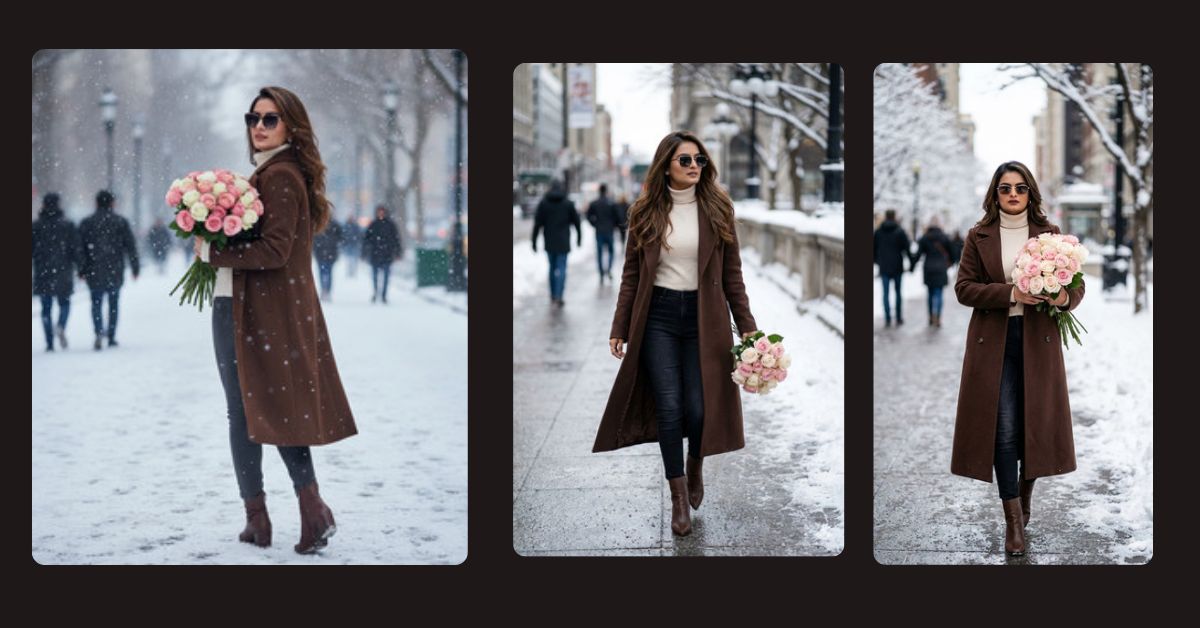
Winter fashion AI images are going viral on Instagram Reels right now.
Creators are sharing cinematic, stylish winter portraits that look like high-end fashion shoots.
The best part?
You can create this Viral AI Image for FREE using Google Gemini, even with the same facial features as your uploaded photo. This makes the image feel personal, realistic, and highly engaging.
If you want a trending, chic, and sophisticated winter AI image, this prompt is perfect for you.
The Viral Prompt (Google Gemini Prompt)
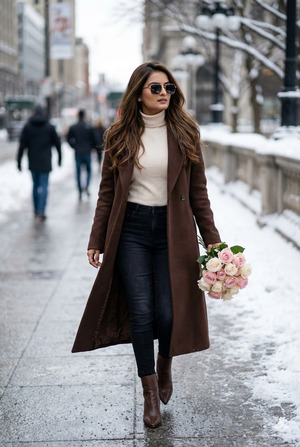
Create a high-quality, ultra-realistic cinematic fashion portrait of a stylish woman using the uploaded reference image for the same facial features. She has long brown hair and is wearing a chocolate-colored long winter coat, a cream turtleneck sweater, light black jeans, and elegant chocolate-colored ankle boots. She is walking confidently on a snowy path while holding a bouquet of soft pink and white roses. She is wearing modern sunglasses, giving a classy and confident look. The background shows a winter city walkway with softly blurred people to create depth of field. Snow on the ground, cold winter atmosphere, chic and sophisticated aesthetic. High quality, 8K resolution, realistic skin texture, cinematic lighting, shallow depth of field, fashion photography style, professional camera look, Instagram reel ready.
Pose Variant 1 : Standing Still & Looking at Camera (Power Pose)
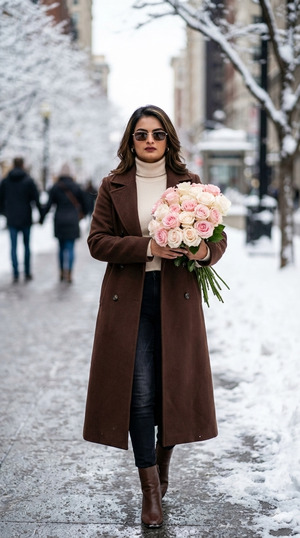
Create a high-quality, ultra-realistic cinematic fashion portrait of a stylish woman using the uploaded reference image for the same facial features. She has long brown hair and is wearing a chocolate-colored long winter coat, a cream turtleneck sweater, light black jeans, and chocolate-colored ankle boots. She is standing confidently on a snowy path, facing the camera directly, holding a bouquet of soft pink and white roses close to her chest. She is wearing modern sunglasses, with a bold and elegant posture. The background shows a winter city walkway with softly blurred people, creating a cinematic depth of field. Snow-covered ground, winter ambience, chic and luxury fashion aesthetic. High quality, 8K resolution, realistic texture, cinematic lighting, shallow depth of field, professional fashion photography look. Create the image in 9:16 aspect ratio.
Pose Variant 2 : Walking Away & Over-the-Shoulder Look (Instagram Reel Favorite)
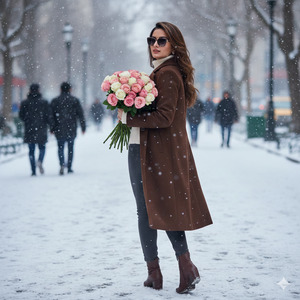
Create a high-quality, ultra-realistic cinematic fashion portrait of a stylish woman using the uploaded reference image for the same facial features. She has long brown hair and is wearing a chocolate-colored long winter coat, a cream turtleneck sweater, light black jeans, and chocolate-colored ankle boots. She is walking away on a snowy path while slightly looking back over her shoulder toward the camera, holding a bouquet of soft pink and white roses in one hand. She is wearing modern sunglasses, giving a stylish and mysterious vibe. The background shows a winter city walkway with blurred people for cinematic depth. Snow on the ground, cold winter mood, chic and sophisticated fashion aesthetic. High quality, 8K resolution, realistic skin texture, cinematic lighting, shallow depth of field, professional fashion photography style. Create the image in 9:16 aspect ratio.
How to Customize This Prompt
You can easily personalize this prompt:
- Face: Upload your own image so Gemini uses your facial features
- Outfit Colors: Change coat or sweater color if you like
- Accessories: Replace roses with coffee cup, handbag, or scarf
- Mood: Add words like luxury, cozy, minimal, high-fashion
Only edit what you need. Keep the rest same for best results.
How to Create This Image Using Google Gemini
Follow these simple 4 steps:
- Open Google Gemini on your mobile or desktop
- Upload your reference image and paste the prompt above
- Type: “Create an image in 9:16 aspect ratio” along with the prompt
- Generate and download your viral AI image
That’s it. Your Instagram Reel–ready image is done.
Conclusion
This Viral AI Image trend is perfect for Instagram creators, fashion lovers, and personal branding.
With Google Gemini, you don’t need expensive cameras or photoshoots.
Just one powerful prompt, your photo, and creativity.
Create your image, post it on Instagram Reels, and don’t forget to tag @TechyGabru to get featured.
Now go create your trending cinematic winter AI image and stand out on social media







