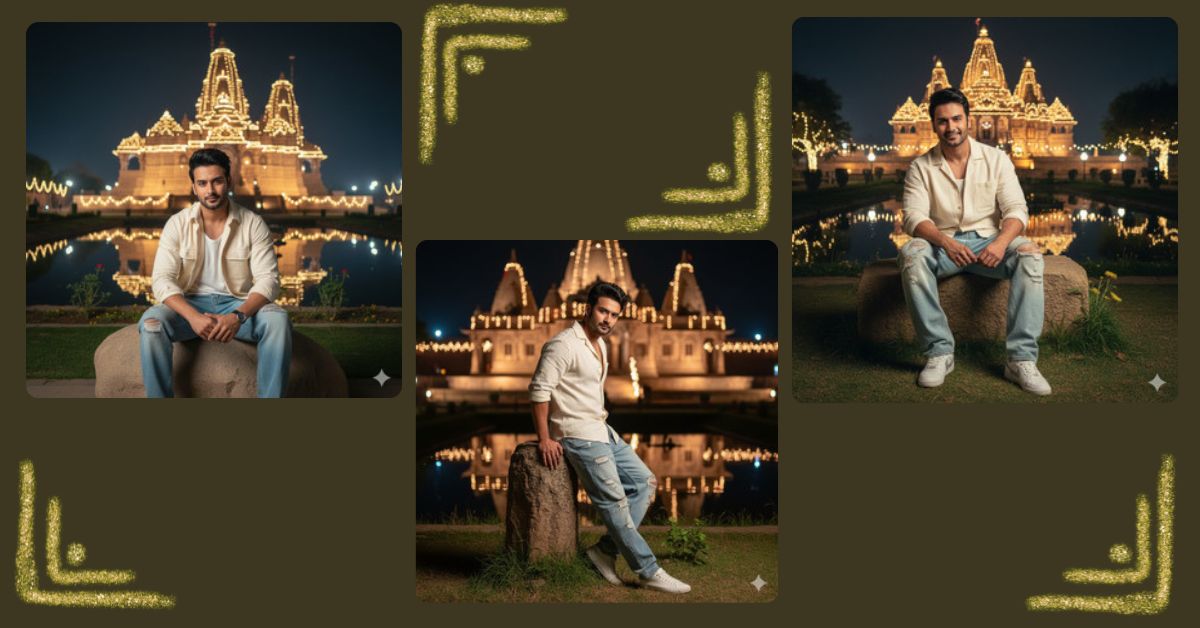
Are you looking to create a stunning, ultra-realistic AI image of yourself in a cinematic night scene? This style is trending on Instagram Reels and social media because people love sharing images that look like professional DSLR photos. You can now create this look for free using Google Gemini in just a few minutes. No Photoshop skills required!
The Viral Prompt
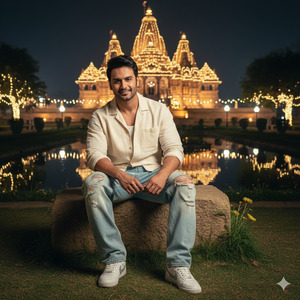
Ultra-realistic DSLR-style cinematic photo of a person sitting on a large stone in front of a majestic old temple at night. The person has natural skin and voluminous hair, wearing a cream-colored shirt and baggy jeans, striking a stylish and confident pose facing the camera. The temple is surrounded by grass, small plants, and a calm pond reflecting ambient night festival lights. Soft cinematic lighting, sharp focus on the person, temple, and pond in full detail. High quality, 8k resolution, realistic textures, cinematic depth, night festival glow, DSLR photography style. Create image in 9:16 aspect ratio.
Pose Variant 1 – Leaning on the Stone
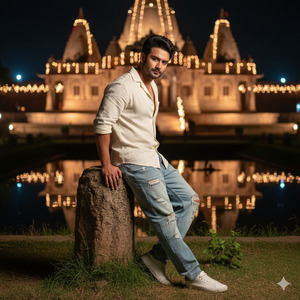
Ultra-realistic DSLR-style cinematic photo of a person leaning casually on a large stone in front of a majestic old temple at night. The person has natural skin and voluminous hair, wearing a cream-colored shirt and baggy jeans, looking confidently at the camera. The temple is surrounded by grass, small plants, and a calm pond reflecting ambient night festival lights. Soft cinematic lighting, sharp focus on the person, temple, and pond in full detail. High quality, 8k resolution, realistic textures, cinematic depth, night festival glow, DSLR photography style. Create image in 9:16 aspect ratio.
Pose Variant 2 – Sitting Cross-Legged
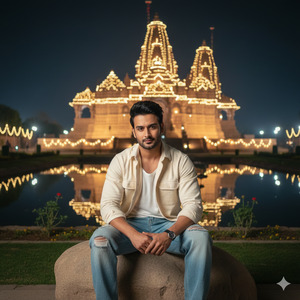
Ultra-realistic DSLR-style cinematic photo of a person sitting cross-legged on a large stone in front of a majestic old temple at night. The person has natural skin and voluminous hair, wearing a cream-colored shirt and baggy jeans, smiling slightly and facing the camera confidently. The temple is surrounded by grass, small plants, and a calm pond reflecting ambient night festival lights. Soft cinematic lighting, sharp focus on the person, temple, and pond in full detail. High quality, 8k resolution, realistic textures, cinematic depth, night festival glow, DSLR photography style. Create image in 9:16 aspect ratio.
How to Customize This Prompt
You can easily make this image your own by replacing specific placeholders:
- Person details: Change “natural skin” or “voluminous hair” to match your style.
- Outfit: Replace “cream-colored shirt and baggy jeans” with your favorite clothing.
- Location vibe: Instead of “majestic old temple,” you can choose “modern cityscape” or “enchanted forest.”
- Lighting: Adjust “night festival glow” to “sunset glow” or “soft morning light” if desired.
This makes your AI image unique and personal while keeping the cinematic DSLR feel.
How to Create This Image Using Google Gemini
Follow these 4 easy steps to make your viral AI image:
- Open Google Gemini in your browser.
- Paste the refined prompt from above into the prompt box.
- Add: “Create an image in 9:16 ratio” to ensure it’s perfect for Instagram Reels.
- Click Generate and download your ultra-realistic AI image once ready.
Now your cinematic night temple image is ready to share!
Conclusion
With Google Gemini, anyone can create viral AI images that look like professional DSLR photography. Experiment with clothing, lighting, and locations to make your creations unique. Don’t forget to share your masterpiece on Instagram and impress your followers with a cinematic, realistic look that stands out. This is your chance to turn your imagination into a visual reality!







