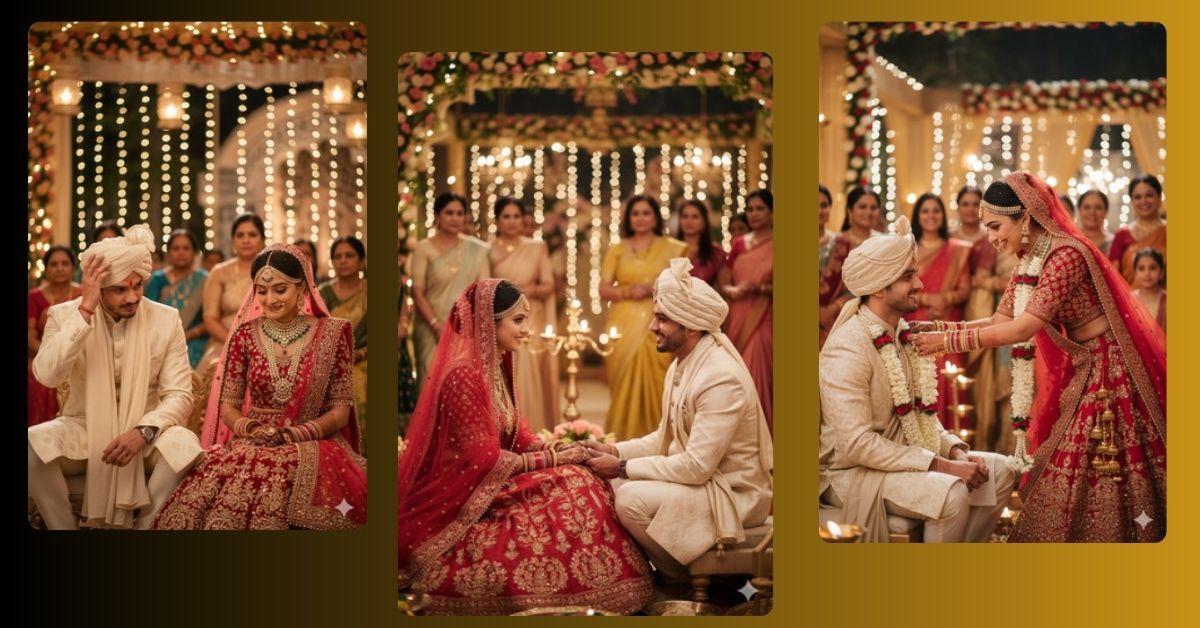
Indian wedding photos are among the most loved and shared content on Instagram and social media. The elegance, colors, and emotions captured in traditional ceremonies make these images viral. Now, you can recreate these stunning wedding moments in ultra-realistic, cinematic style for free using Google Gemini. This tutorial will guide you to generate a perfect 9:16 image that looks professional and highly detailed.
The Viral Prompt
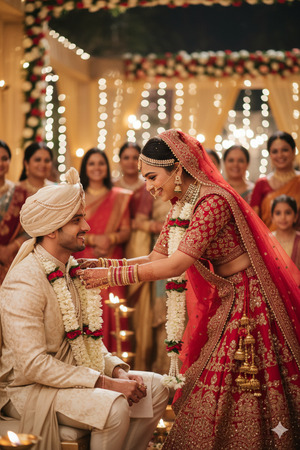
Create an ultra photorealistic cinematic medium shot of a traditional Indian wedding ceremony at night. The bride (keep face 100% identical to uploaded reference) is smiling gracefully, bending slightly forward to place a floral garland on the groom’s neck. She is wearing a heavy red lehenga choli with a sheer dupatta over her head, adorned with heavy jewelry and mehndi on her hands. The groom is sitting facing the bride, wearing a silk sherwani with a matching turban. Background shows soft-focus relatives and a warm-lit outdoor wedding venue decorated elegantly with lights. Use warm golden lighting, shallow depth of field, ultra-detailed textures, realistic skin and fabric textures, cinematic lighting, 8K resolution. Create in 9:16 aspect ratio (Instagram Reel size).
Pose Variant 1 – Bride Holding Groom’s Hands
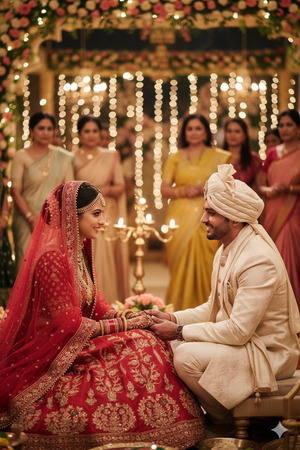
Ultra photorealistic cinematic medium shot of a traditional Indian wedding ceremony at night. The bride (face 100% identical to uploaded reference) is smiling gently while holding the groom’s hands in front of her. She wears a heavy red lehenga choli with sheer dupatta, heavy jewelry, and mehndi. The groom sits facing the bride, wearing a silk sherwani with matching turban. Background shows soft-focus relatives and a warm-lit outdoor wedding venue decorated with elegant lights. Warm golden lighting, shallow depth of field, ultra-detailed textures, realistic skin and fabric textures, cinematic lighting, 8K resolution. Create in 9:16 aspect ratio (Instagram Reel size).
Pose Variant 2 – Bride Looking Down, Groom Adjusting Turban
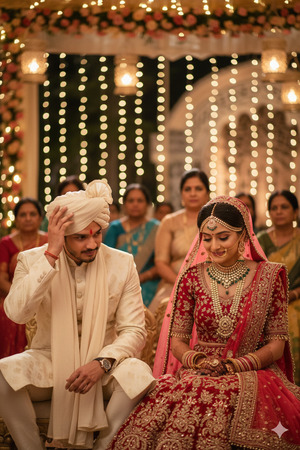
Ultra photorealistic cinematic medium shot of a traditional Indian wedding ceremony at night. The bride (face 100% identical to uploaded reference) is smiling softly while looking down as the groom gently adjusts his turban. She wears a heavy red lehenga choli with sheer dupatta, heavy jewelry, and mehndi. The groom sits facing her in a silk sherwani with matching turban. Background shows soft-focus relatives and a warm-lit outdoor wedding venue decorated elegantly with lights. Warm golden lighting, shallow depth of field, ultra-detailed textures, realistic skin and fabric textures, cinematic lighting, 8K resolution. Create in 9:16 aspect ratio (Instagram Reel size).
How to Customize This Prompt
You can adjust this prompt to match your preference easily:
- Bride/Groom Outfit Colors: Replace “red lehenga” or “silk sherwani” with any color you like.
- Jewelry & Accessories: Change “heavy jewelry” or “turban” to specific types or styles.
- Venue Details: Modify background details like “outdoor wedding venue” or “soft-focus relatives” to a palace, garden, or indoor hall.
- Lighting Mood: Replace “warm golden lighting” with “soft candlelight” or “moonlight glow” to change the ambiance.
How to Create This Image Using Google Gemini
Follow these 4 simple steps:
- Open Google Gemini on your browser or app.
- Paste the prompt exactly as given in the input box.
- Add the text:
"Create an image in 9:16 ratio"along with the prompt. - Download the ultra-realistic image once it is generated.
Conclusion
Now you can easily create stunning traditional Indian wedding portraits that look like professional photos. Experiment with lighting, outfits, or venue details to make your creation unique. Share your masterpiece on Instagram Reels and let your friends admire the cinematic elegance you captured with Google Gemini. Every wedding image can now be turned into a viral AI artwork with realistic textures, gorgeous lighting, and a dreamy atmosphere.







