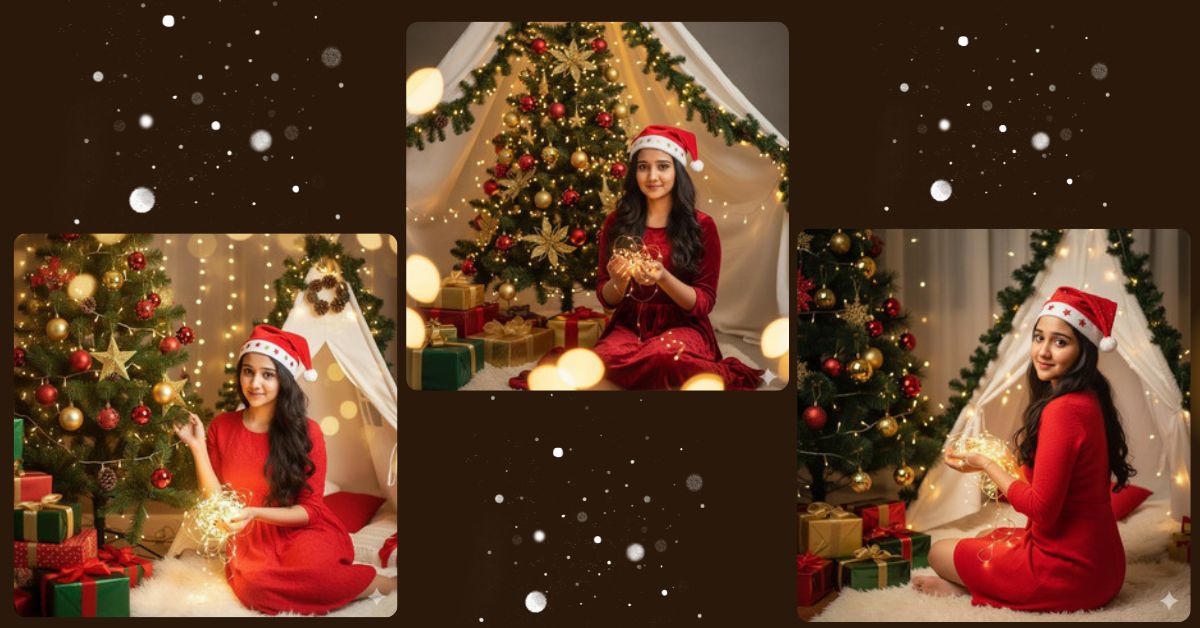
Festive and cinematic AI portraits are trending on Instagram and social media during the holiday season.
People love cozy Christmas vibes, warm lighting, and glowing bokeh effects for Reels, posts, and profile pictures.
The best part is—you can create this Ultra-realistic Christmas portrait for FREE using Google Gemini.
With one perfect prompt, you can generate a 4K cinematic holiday image instantly.
The Viral Prompt (Google Gemini Prompt)
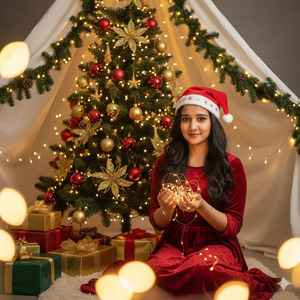
Create an ultra-realistic, high-quality 4K cinematic Christmas portrait of a young woman sitting on the floor beside a beautifully decorated Christmas tree. Use the exact face from the uploaded reference image with no alteration. She wears a vibrant red textured dress and a festive Santa hat with star motifs. Warm, diffused lighting highlights her gentle smile, glowing skin, and long dark hair. She is holding glowing fairy lights, creating golden bokeh around her. The background is a white tent-like setup with green leaves and warm lights, with wrapped Christmas gifts placed beside her. The scene should have a cozy, cinematic holiday atmosphere, ultra-detailed textures, realistic shadows, and professional 4K photography style. Create the image in 9:16 aspect ratio.
Pose Variant 1– Leaning Slightly to the Side, One Hand on Tree
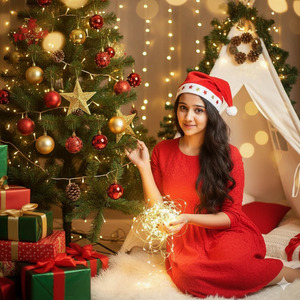
Create an ultra-realistic, high-quality 4K cinematic Christmas portrait of a young woman sitting on the floor beside a beautifully decorated Christmas tree. Use the exact face from the uploaded reference image with no alteration. She wears a vibrant red textured dress and a festive Santa hat with star motifs. Warm, diffused lighting highlights her gentle smile, glowing skin, and long dark hair. She leans slightly to the side, with one hand lightly touching the Christmas tree and the other holding glowing fairy lights, creating golden bokeh around her. The background is a white tent-like setup with green leaves and warm lights, with wrapped Christmas gifts placed beside her. The scene should have a cozy, cinematic holiday atmosphere, ultra-detailed textures, realistic shadows, and professional 4K photography style. Create the image in 9:16 aspect ratio.
Pose Variant 2 – Sitting Sideways, Looking Over Shoulder
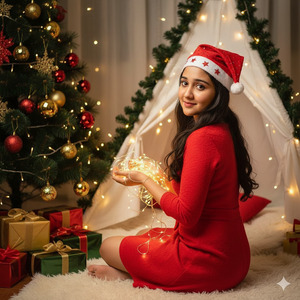
Create an ultra-realistic, high-quality 4K cinematic Christmas portrait of a young woman sitting on the floor beside a beautifully decorated Christmas tree. Use the exact face from the uploaded reference image with no alteration. She wears a vibrant red textured dress and a festive Santa hat with star motifs. Warm, diffused lighting highlights her gentle smile, glowing skin, and long dark hair. She sits sideways with her legs to one side, looking over her shoulder at the camera while holding glowing fairy lights, creating golden bokeh around her. The background is a white tent-like setup with green leaves and warm lights, with wrapped Christmas gifts placed beside her. The scene should have a cozy, cinematic holiday atmosphere, ultra-detailed textures, realistic shadows, and professional 4K photography style. Create the image in 9:16 aspect ratio.
How to Customize This Prompt
You can easily personalize this prompt by changing a few details:
- Dress color: red, green, gold, or plaid
- Hat style: Santa hat, elf hat, or winter beanie
- Background items: different gifts, Christmas ornaments, or lights
- Pose: sitting cross-legged, leaning forward, or holding lights differently
Keep all other details intact to maintain ultra-realistic cinematic quality.
How to Create This Image Using Google Gemini
Follow these 4 simple steps:
- Open Google Gemini on your mobile or desktop.
- Upload the reference image of the woman.
- Paste the prompt above and type “Create an image in 9:16 ratio”.
- Download the 4K cinematic Christmas portrait and share it on Instagram.
No extra editing or paid tools are required.
Conclusion
This cozy, cinematic Christmas AI portrait is perfect for Reels, Stories, and holiday-themed social media posts.
Golden bokeh, glowing fairy lights, and festive attire make your post stand out with professional fashion photography vibes.
Use this Google Gemini prompt, create your holiday image, and share it proudly on Instagram.
Tag friends, showcase your creativity, and spread festive cheer with a stunning AI-generated Christmas portrait.







