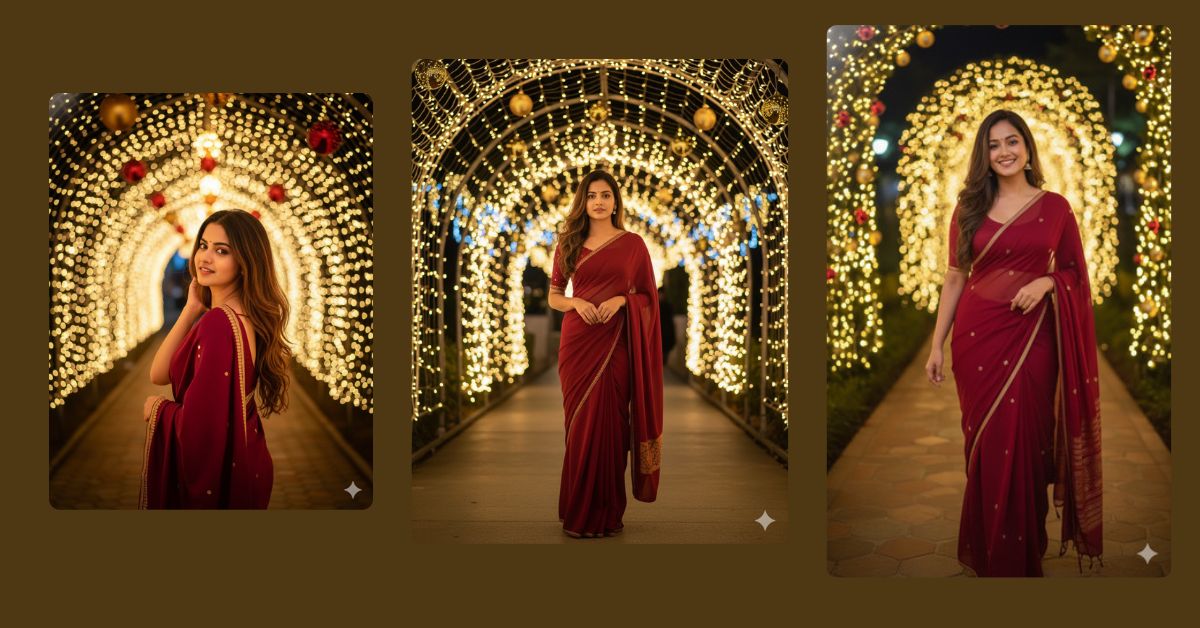
Festive night portraits with Christmas lights and cinematic vibes are trending fast on Instagram and Reels.
This style looks glamorous, emotional, and perfect for holiday posts and profile updates.
The best thing is that you can create this ultra-realistic viral AI image for free using Google Gemini, while keeping your face 100% unchanged.
The Viral Prompt
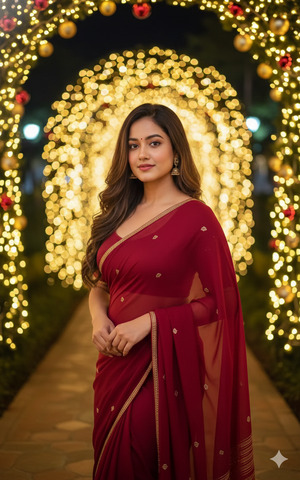
Create an ultra-realistic, cinematic festive night portrait based strictly on the uploaded reference photo.
Subject:
- A young woman with the exact same facial features as the uploaded image (do not change or alter the face in any way).
- Bronze-tanned skin tone, voluptuous yet toned body, natural curves.
- Long wavy brown hair with lighter highlights at the ends, flowing naturally.
Scene & Environment:
- Night-time festive setting with a beautifully illuminated walkway.
- Christmas decorations, warm golden fairy lights, glowing ornaments, and soft bokeh lights in the background.
- Vibrant, joyful holiday atmosphere with cinematic depth.
Pose & Expression:
- Standing confidently at the center of the path.
- Soft, elegant pose with relaxed shoulders.
- Calm, confident, festive expression.
Lighting & Style:
- Cinematic night lighting with warm highlights and soft shadows.
- High dynamic range, realistic skin texture, detailed fabric and hair.
- DSLR photography look, professional portrait quality.
- Ultra-detailed, high quality, 8K resolution.
Create the image in a 9:16 aspect ratio (Instagram Reel size).
Pose Variant 1 – Elegant Walkway Confidence
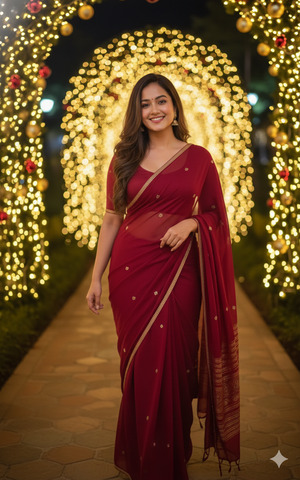
The woman stands slightly angled on the illuminated festive path, one leg gently forward as if mid-step. One hand rests softly on her hip, the other relaxed by her side. Head slightly tilted, confident festive smile, eyes looking toward the camera.
Pose Variant 2 – Soft Festive Glow Pose
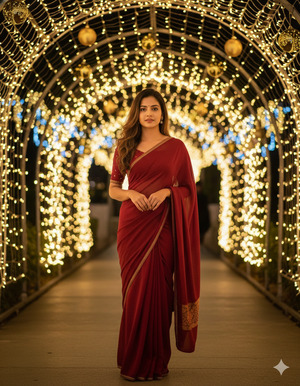
The woman stands centered under Christmas lights, both hands gently clasped in front of her waist. Shoulders relaxed, chin slightly lifted. Calm, graceful expression as warm lights glow behind her, creating a dreamy holiday mood.
Pose Variant 3 – Over-the-Shoulder Holiday Look
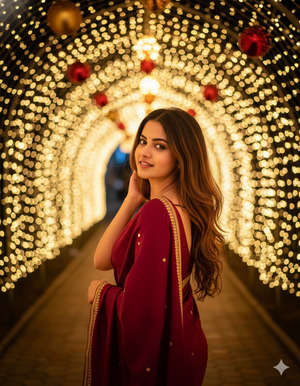
The woman turns slightly away from the camera, looking back over her shoulder. One hand lightly touches her hair, the other relaxed at her side. Soft smile with festive lights forming bokeh behind her for a cinematic night feel.
How to Customize This Promp
You can easily personalize this prompt:
- Change dress color (red, white, gold, black).
- Adjust festive decorations (Christmas tree, lights, ornaments).
- Modify pose mood (smiling, calm, confident, joyful).
How to Create This Image Using Google Gemin
Follow these simple steps:
- Open Google Gemini (app or browser).
- Upload your reference photo clearly.
- Paste the prompt above and type:
“Create an image in 9:16 ratio.” - Generate and download your image.
That’s it—your festive viral image is ready.
Conclusion
This festive night AI portrait style is perfect for Christmas posts, New Year reels, and holiday memories.
It looks premium, emotional, and highly shareable on Instagram.
Create your image, post it proudly, and let the festive vibes shine.
For more trending Google Gemini AI prompts, keep following Techy Gabru.







