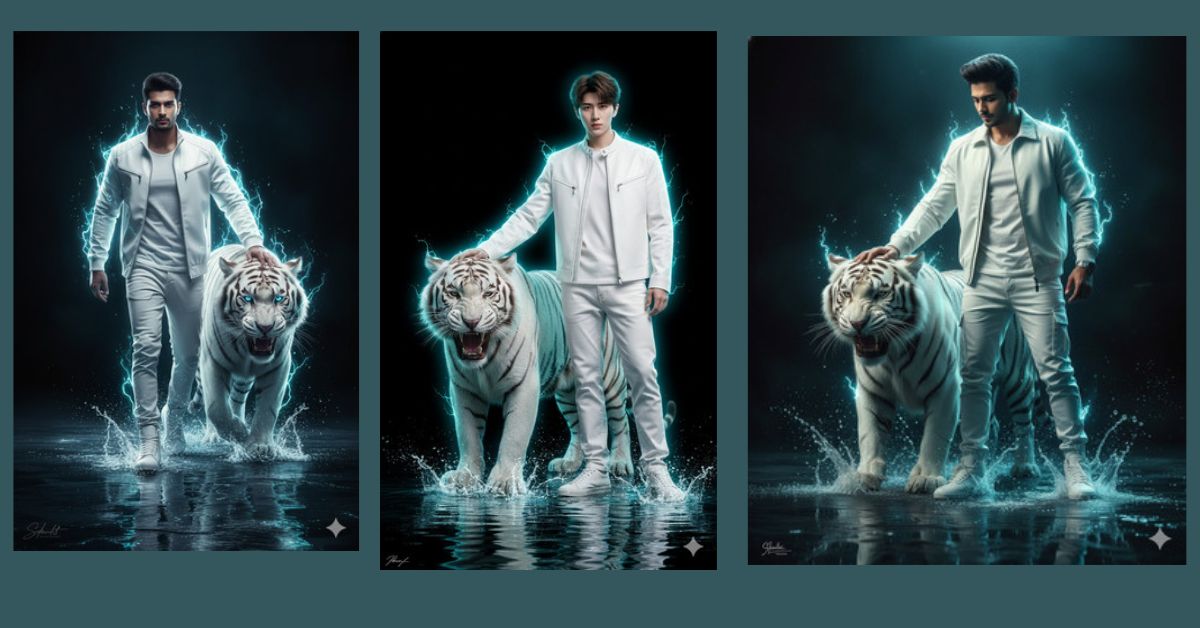
Cyberpunk-style ultra-realistic AI images are going viral on Instagram Reels right now.
People love this style because it looks powerful, futuristic, and cinematic, just like a movie scene.
Images with neon glow, dramatic lighting, strong characters, and fantasy elements grab attention instantly.
You can create this Viral AI Image for free using Google Gemini, even if you are a beginner.
The Viral Prompt
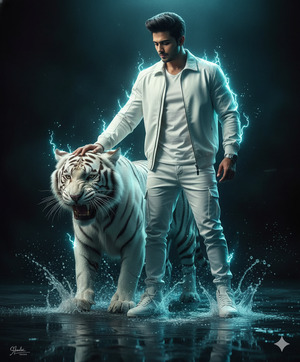
Create an ultra-realistic cinematic 8K artwork of a confident man with a clearly visible face, standing on reflective shallow water. He is wearing modern white streetwear including a white jacket, pants, and stylish sneakers. One of his hands rests calmly on a roaring white tiger beside him, showing power, control, and confidence. Neon white and cyan light glows around them, with electric white water splashes forming beneath their feet. The background is dark and dramatic, enhanced with strong rim lighting that outlines the man and the tiger beautifully. The scene has a cyberpunk fantasy mood with hyper-detailed textures, ultra-sharp focus, realistic skin detail, and cinematic lighting. Add a small subtle signature text in the lower left corner. Masterpiece quality, realistic photography style, dramatic atmosphere. Create the image in 9:16 aspect ratio.
Pose Variant 1 – Standing Strong with Hand on Tiger (Power Pose)
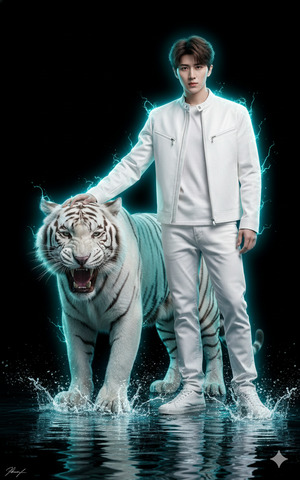
Create an ultra-realistic cinematic 8K artwork of a confident man with a clearly visible face, standing firmly on reflective shallow water. He is wearing modern white streetwear including a white jacket, pants, and stylish sneakers. One hand rests confidently on the head of a roaring white tiger beside him, while his body faces forward in a powerful stance. Neon white and cyan light glows around them, with electric white water splashes forming beneath their feet. The background is dark and dramatic, enhanced with strong rim lighting that outlines the man and the tiger beautifully. Cyberpunk fantasy mood, hyper-detailed textures, ultra-sharp focus, realistic skin detail, cinematic lighting, masterpiece quality. Add a small subtle signature text in the lower left corner. Create the image in 9:16 aspect ratio.
Pose Variant 2 – Walking Forward with Tiger (Leader Pose)
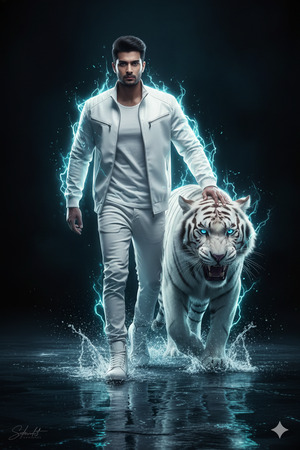
Create an ultra-realistic cinematic 8K artwork of a confident man with a clearly visible face, walking forward on reflective shallow water. He is wearing modern white streetwear including a white jacket, pants, and stylish sneakers. The roaring white tiger walks beside him, and he keeps one hand lightly resting on the tiger’s shoulder, showing dominance and calm control. Neon white and cyan light glows around them, with electric white water splashes forming beneath each step. The background is dark and dramatic, with strong rim lighting outlining both figures. Cyberpunk fantasy mood, hyper-detailed textures, ultra-sharp focus, realistic skin detail, cinematic lighting, masterpiece quality. Add a small subtle signature text in the lower left corner. Create the image in 9:16 aspect ratio.
Pose Variant 3 – Looking Down at Tiger (Calm Authority Pose)
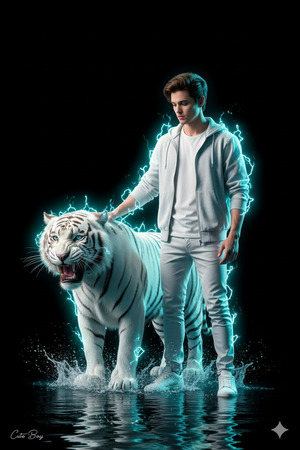
Create an ultra-realistic cinematic 8K artwork of a confident man with a clearly visible face, standing calmly on reflective shallow water while looking slightly downward at a roaring white tiger beside him. He is wearing modern white streetwear including a white jacket, pants, and stylish sneakers. One hand rests gently on the tiger’s back, expressing trust, control, and silent authority. Neon white and cyan light glows around them, with electric white water splashes beneath their feet. The background remains dark and dramatic, enhanced with strong rim lighting for a powerful silhouette effect. Cyberpunk fantasy mood, hyper-detailed textures, ultra-sharp focus, realistic skin detail, cinematic lighting, masterpiece quality. Add a small subtle signature text in the lower left corner. Create the image in 9:16 aspect ratio.
How to Customize This Prompt
You can easily customize this prompt by changing a few words:
- Replace streetwear color (white → black or silver)
- Change animal (white tiger → lion or panther)
- Modify neon colors (cyan → purple or blue)
- Add your reference image to keep the face accurate
Keep keywords like 8K, ultra-realistic, cinematic lighting unchanged for best quality.
How to Create This Image Using Google Gemini
Follow these simple 4 steps:
- Open Google Gemini on your mobile or desktop
- Paste the prompt given above
- Type “Create an image in 9:16 ratio” along with the prompt
- Generate and download your image
Your Trending Viral AI Image is ready to post.
Conclusion
This Google Gemini Prompt helps you create bold, cinematic AI artwork that looks powerful and professional.
Such images perform extremely well on Instagram Reels, motivation pages, and cyberpunk-themed profiles.
Create your image, post it proudly, and let people stop scrolling.
Don’t forget to share your creation on Instagram and inspire others with your AI creativity.
Create fearlessly. Post confidently. Go viral.







