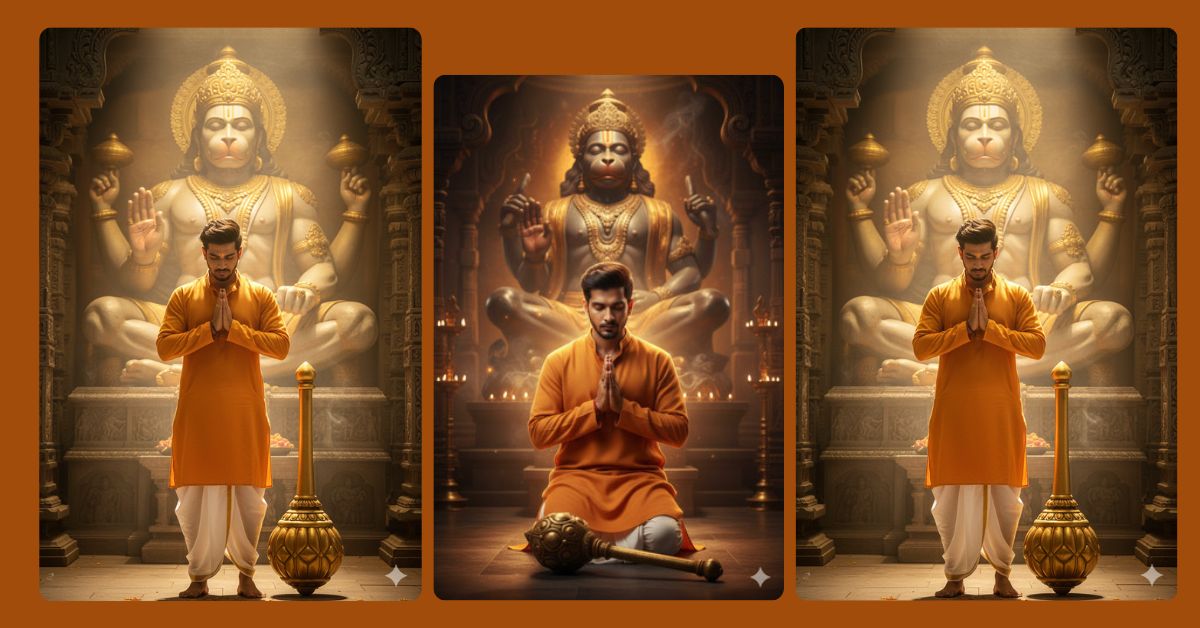
Spiritual and devotional AI images are going viral on Instagram Reels right now.
People love cinematic devotion scenes because they feel powerful, peaceful, and emotionally deep.
The best part?
You can create this divine Hanuman bhakti image for free using Google Gemini, without any editing skills. Just one perfect prompt is enough.
The Viral Prompt
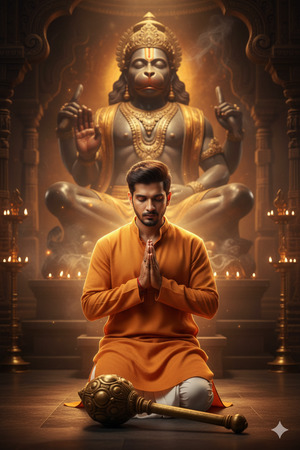
Create a hyper-detailed ultra-realistic 8K cinematic portrait in 9:16 aspect ratio.
A young South Asian man is kneeling respectfully in deep devotion in front of a gigantic Lord Hanuman statue.
He is wearing a saffron kurta and white pajama. His golden mace (gada) rests gently on the ground in front of him.
His head is slightly bowed, eyes closed, expression calm and spiritually focused.
The massive Hanuman statue radiates warm divine light, with soft glowing highlights and subtle smoke drifting through the golden atmosphere.
Sacred spiritual aura, divine ambiance, cinematic bokeh, ultra-sharp realism, realistic skin texture, detailed fabric folds, dramatic depth of field.
High-quality 8K resolution, professional cinematic lighting, photorealistic composition, no text, no watermark.
Pose Variant 1 – Standing Devotion (Hands Folded)
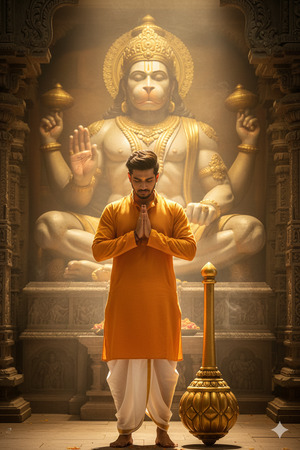
Create a hyper-detailed ultra-realistic 8K cinematic portrait in 9:16 aspect ratio.
A young South Asian man stands respectfully in front of a gigantic Lord Hanuman statue.
He wears a saffron kurta and white pajama. His golden mace rests upright beside him.
He is standing still with both hands folded in a namaste gesture at chest level, head slightly bowed, eyes closed in deep devotion.
The Hanuman statue radiates warm divine light, with soft smoke drifting through the golden atmosphere.
Divine lighting, spiritual tone, cinematic bokeh, ultra-sharp realism, realistic skin texture, dramatic depth of field, no text, no watermark.
How to Customize This Prompt
You can easily personalize this prompt without changing the style:
- Replace “young South Asian man” with your preference (young devotee, monk, etc.)
- Change kurta color (saffron → white, orange, or red)
- Adjust emotion (deep devotion, calm prayer, peaceful surrender)
- Add your own face reference image if Google Gemini allows it
Only replace small details—do not change lighting or quality keywords.
How to Create This Image Using Google Gemini
Follow these simple steps:
- Open Google Gemini
- Paste the full prompt given above
- Type: “Create an image in 9:16 aspect ratio”
- Generate and download your image
That’s it—your viral devotional image is ready.
Conclusion
This Hanuman bhakti AI image style is perfect for Instagram Reels, spiritual pages, and devotional storytelling.
The cinematic lighting, divine atmosphere, and emotional depth make it highly shareable and engaging.
Create your image using Google Gemini, post it with devotion-based captions, and watch the engagement grow.
If you love creating viral AI images, keep following Techy Gabru for more trending Google Gemini prompts.







