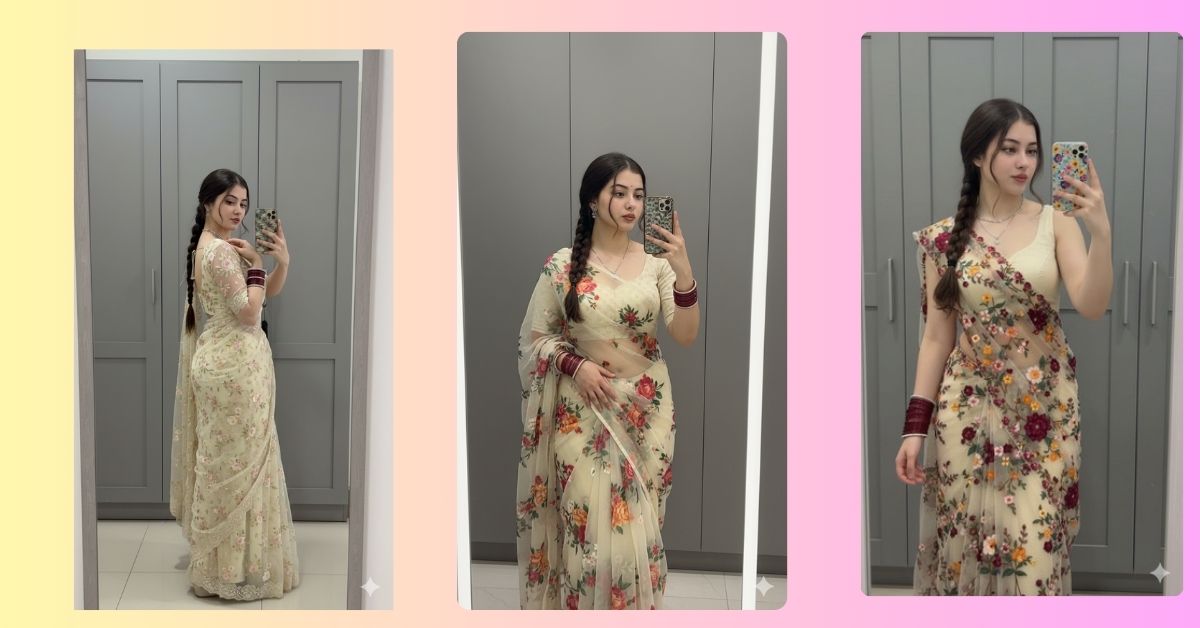
Mirror selfie–style AI images are trending heavily on Instagram, especially elegant saree looks with realistic indoor lighting.
People love images that feel personal, natural, and stylish—just like a real dressing-room photo.
The best part is that you can create this Viral AI Image for free using Google Gemini, perfectly sized for Instagram Reels (9:16).
The Viral Prompt
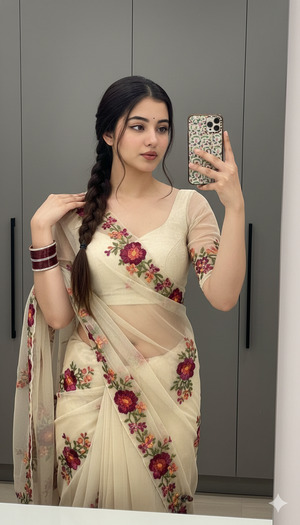
Create a high-quality, ultra-realistic 8K cinematic portrait of a woman with her face kept 100% identical to the uploaded reference image. Do not change, edit, or alter her facial features in any way.
She is standing in front of a grey paneled wardrobe or modern dressing area, taking a vertical mirror selfie. A full-length mirror is visible. She is looking slightly to the side, not directly at the camera, with one hand gently resting on her shoulder, giving a calm and confident expression.
Appearance & Outfit: She has long dark brown hair styled neatly in a single braid. She is wearing a sheer cream-colored saree with a matching blouse, decorated with colorful floral embroidery in maroon and multicolored accents. The saree is worn in a low-waist style with natural fabric folds and realistic cloth texture.
Accessories: Stacked maroon bangles on her wrist, simple silver chain jewelry, and a patterned phone case visible in the mirror reflection.
Lighting & Style: Soft indoor lighting, realistic shadows, DSLR-quality look, natural skin texture, clean background, sharp focus on the subject, subtle depth of field. Photorealistic fashion portrait, ultra-detailed, 8K resolution.
Create the image in 9:16 aspect ratio (Instagram Reel size).
Pose Variant 1 – Soft Side Glance Pose
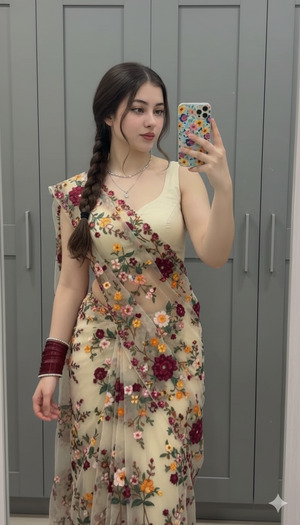
Pose & Body Language: She stands in front of the mirror with her body slightly angled to the side. One hand rests gently on her shoulder, while the other holds the phone for the mirror selfie. Her head is turned slightly away from the mirror, eyes looking sideways with a soft, calm expression.
Create the image in 9:16 aspect ratio (Instagram Reel size).
Pose Variant 2 – Waist Touch Elegant Pose
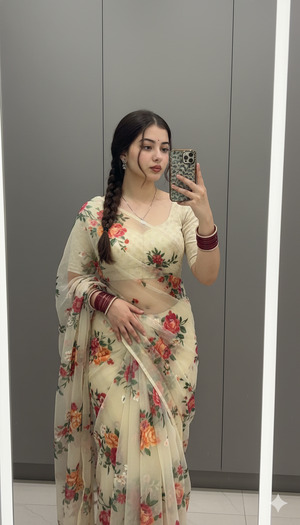
Pose & Body Language: She is standing straight in front of the mirror, one hand lightly resting on her waist near the saree pleats, while the other hand holds the phone. Her head is slightly tilted, eyes looking to the side, giving an elegant and confident dressing-room selfie look.
Create the image in 9:16 aspect ratio (Instagram Reel size).
Pose Variant 3 – Over-the-Shoulder Mirror Pose
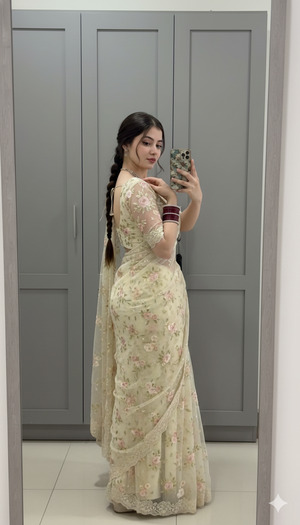
Pose & Body Language: She stands with her back slightly turned toward the mirror, looking at her reflection over her shoulder. One hand adjusts the saree pallu near her shoulder, while the other holds the phone. Her expression is composed and stylish, creating a fashionable mirror selfie moment.
Create the image in 9:16 aspect ratio (Instagram Reel size).
How to Customize This Prompt
You can easily personalize this image:
- Change saree color (cream → pastel pink, ivory, or beige)
- Modify background (wardrobe → hotel room or vanity mirror)
- Adjust jewelry style (silver → oxidized or gold-toned)
Always keep the line “face kept 100% identical” unchanged to preserve your real facial features.
How to Create This Image Using Google Gemini
Follow these simple steps:
- Open Google Gemini
- Paste the prompt given above
- Add this line at the end:
Create an image in 9:16 ratio - Generate and download the image
Your realistic mirror selfie AI image is ready to post.
Conclusion
This elegant mirror selfie saree look feels natural, stylish, and highly relatable—perfect for Instagram Reels, profile posts, and fashion content.
The realistic lighting, soft pose, and detailed outfit make it look like a real DSLR photo.
Try this Google Gemini Prompt, share your creation on Instagram, and enjoy the engagement.
With the right prompt, AI images can look beautifully real.







