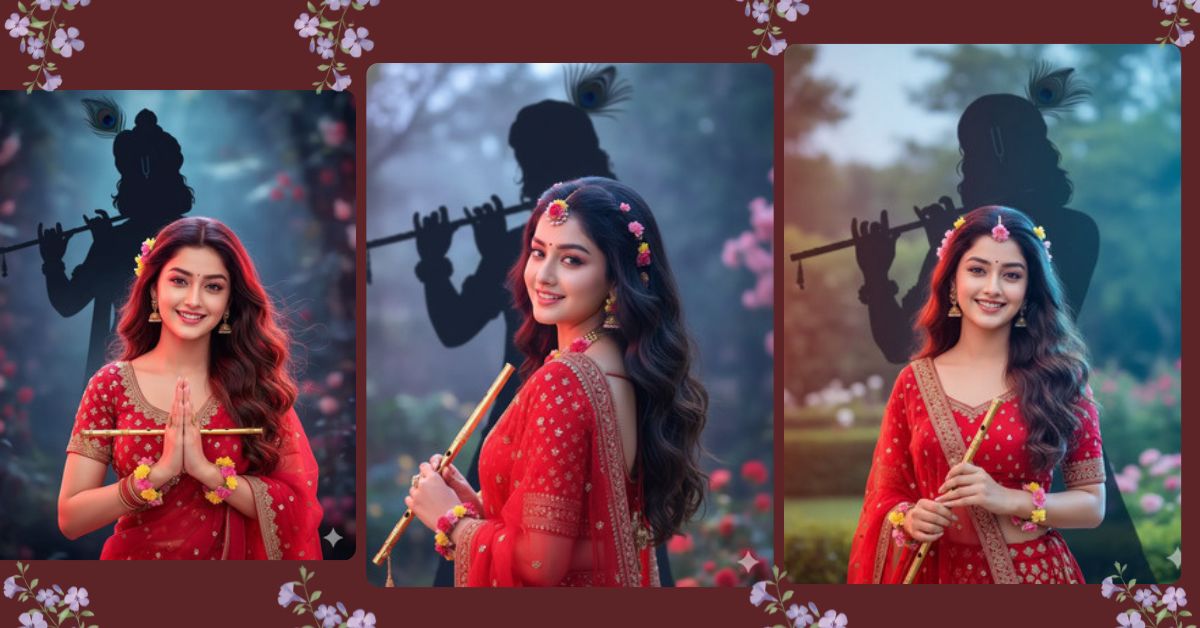
Radha Rani portraits are trending on Instagram and social media due to their divine, ethereal vibe. Fans love the soft cinematic lighting, flowing lehenga, and magical aura that makes the image visually striking. Now, you can create your own Radha Rani portrait for free using Google Gemini in stunning detail. This guide will help you generate a photorealistic 8K image perfect for Instagram Reels.
The Viral Prompt
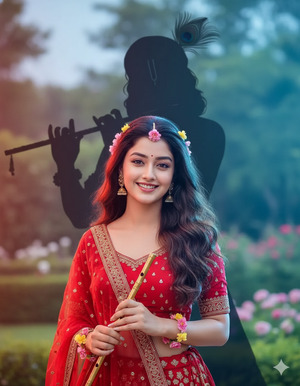
Ultra-realistic HD close-up portrait of Radha Rani, framed waist-up, glowing soft skin, gentle natkhat smile. Wavy hair flowing in the breeze. Wearing a red lehenga with golden shimmer, adorned with fresh flowers. Holding a golden flute. Behind her, Krishna’s black shadow appears with a bansuri and peacock feather. Soft red-blue cinematic lighting creating a divine, magical aura. Maintain exact facial features as reference image, no alterations. High quality, 8k resolution, realistic texture, cinematic lighting. Create an image in 9:16 aspect ratio for Instagram Reels.
Pose Variant 1 – Looking Over Shoulder
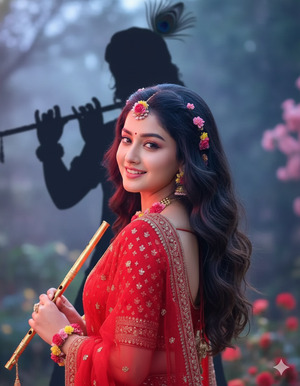
Ultra-realistic HD close-up portrait of Radha Rani, waist-up, glowing soft skin, gentle natkhat smile. Wavy hair flowing in the breeze. Wearing a red lehenga with golden shimmer, adorned with fresh flowers. Holding a golden flute slightly angled to her side. Radha Rani looking over her left shoulder, gaze soft and dreamy. Behind her, Krishna’s black shadow appears with a bansuri and peacock feather. Soft red-blue cinematic lighting creating a divine, magical aura. Maintain exact facial features as reference image, no alterations. High quality, 8k resolution, realistic texture, cinematic lighting. Create an image in 9:16 aspect ratio for Instagram Reels.
Pose Variant 2 – Hands Folded in Prayer
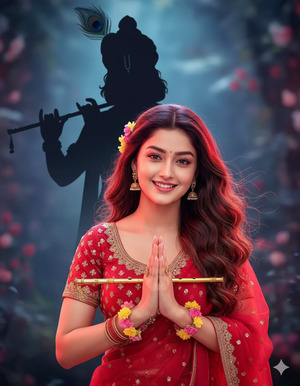
Ultra-realistic HD close-up portrait of Radha Rani, waist-up, glowing soft skin, gentle natkhat smile. Wavy hair flowing naturally. Wearing a red lehenga with golden shimmer, adorned with fresh flowers. Hands folded gracefully in front as if in prayer, holding the golden flute between them. Behind her, Krishna’s black shadow appears with a bansuri and peacock feather. Soft red-blue cinematic lighting creating a divine, magical aura. Maintain exact facial features as reference image, no alterations. High quality, 8k resolution, realistic texture, cinematic lighting. Create an image in 9:16 aspect ratio for Instagram Reels.
How to Customize This Prompt
You can easily adjust the prompt to match your preferences:
- Lehenga Color: Change
red lehengato any color you want, e.g.,blue lehenga. - Hair Style: Replace
wavy hairwithbraided hairorcurly hair. - Lighting Mood: Change
red-blue cinematic lightingtogolden sunset lightingfor a warmer effect. - Accessories: Modify
golden fluteorfresh flowerswith other props like jewelry or bangles.
These small tweaks keep the overall divine, photorealistic feel intact.
How to Create This Image Using Google Gemini
Follow these simple steps to generate your Radha Rani portrait:
- Open Google Gemini in your browser.
- Paste the prompt provided above into the input field.
- Add the ratio instruction: Type
"Create an image in 9:16 ratio"along with your prompt. - Download your image once it is generated.
This ensures your image is Instagram-ready in a vertical 9:16 aspect ratio.
Conclusion
Creating a divine Radha Rani portrait has never been easier! With Google Gemini, you can generate ultra-realistic images in minutes. Experiment with small customizations and watch your creation come alive. Don’t forget to share your beautiful Radha Rani portrait on Instagram and inspire others with your creativity. Your followers will love the magical aura, cinematic lighting, and perfect details captured in this AI masterpiece.
.







