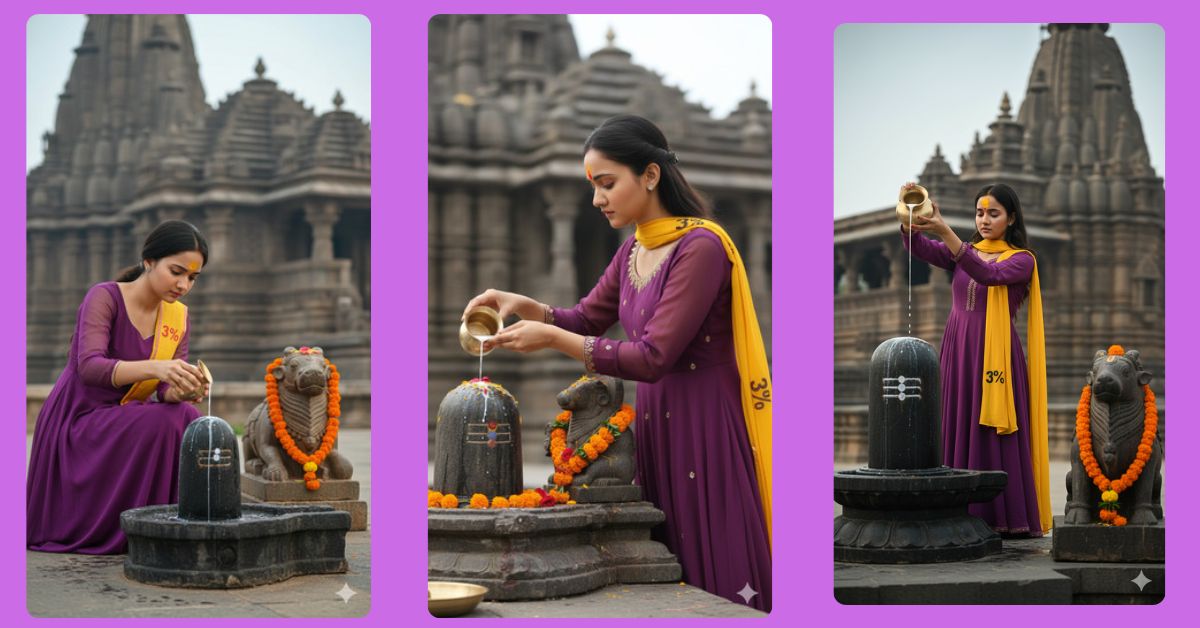
Devotional and spiritual AI images are going viral on Instagram Reels right now.
People love calm, peaceful, and faith-based visuals that feel real and emotional.
One of the most trending styles is Rudrabhishek worship scenes with ultra-realistic details.
The good news? You can create this for free using Google Gemini, even if you are a beginner.
In this blog, I will give you one perfect Google Gemini prompt to create a viral AI image in 9:16 aspect ratio (Instagram Reel size).
The Viral Prompt (Google Gemini)
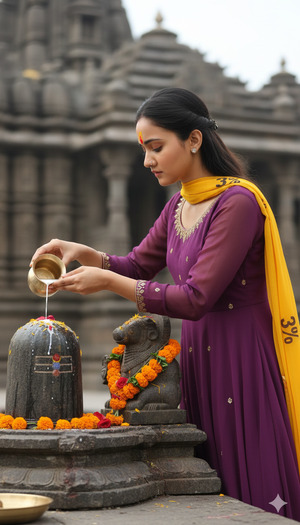
Create an ultra-realistic hyper-detailed cinematic image of a girl (use the exact reference face, 100% unchanged, no facial alteration). She is shown in a side pose performing Rudrabhishek, gently pouring milk with both hands on an ancient stone Shivaling. Near the Shivaling, an ancient stone Nandi Maharaj statue is placed and beautifully decorated with flowers. The girl is looking downward with devotion and calm emotion. Her forehead has a bright yellow and red tilak. She is wearing a purple georgette Anarkali full-sleeves salwar suit. A yellow scarf with “3%” written clearly on it is draped over her shoulder. The background shows a soft blurry ancient temple made of dark grey stone with intricate carvings and layered stone roofs, showcasing ancient Indian architecture. The sky is soft and diffused, creating a serene, spiritual, and devotional mood. Shallow depth of field, cinematic lighting, realistic skin texture, ultra-sharp focus, high quality, 8K resolution, photorealistic, natural colors, professional DSLR look.
Pose Variant 1 – Kneeling Devotional Pose
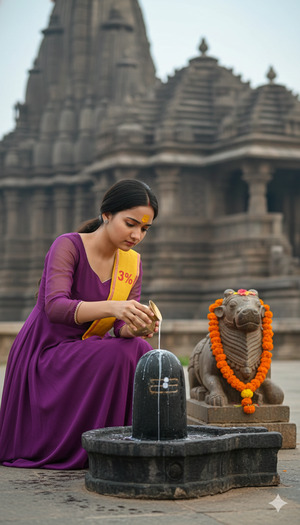
Create an ultra-realistic hyper-detailed cinematic image of a girl (use the exact reference face, 100% unchanged, no facial alteration). She is kneeling beside an ancient stone Shivaling, performing Rudrabhishek by gently pouring milk with both hands while her body is slightly bowed forward in devotion. Near the Shivaling, an ancient stone Nandi Maharaj statue is placed and beautifully decorated with flowers. The girl is looking downward with deep spiritual focus. Her forehead has a bright yellow and red tilak. She is wearing a purple georgette Anarkali full-sleeves salwar suit. A yellow scarf with “3%” written clearly on it is draped over her shoulder. The background shows a soft blurry ancient temple made of dark grey stone with intricate carvings and layered stone roofs, showcasing ancient Indian architecture. Soft diffused sky, serene and devotional mood, shallow depth of field, cinematic lighting, realistic skin texture, ultra-sharp focus, high quality, 8K resolution, photorealistic, natural colors, DSLR look. Create image in 9:16 aspect ratio.
Pose Variant 2 – Standing Prayer Pose
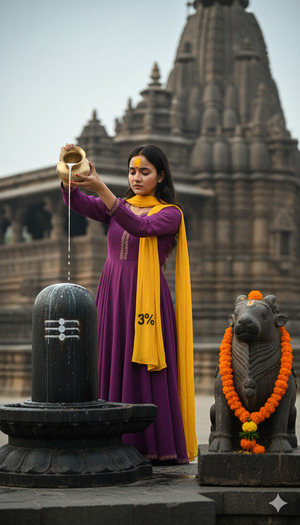
Create an ultra-realistic hyper-detailed cinematic image of a girl (use the exact reference face, 100% unchanged, no facial alteration). She is standing beside an ancient stone Shivaling, performing Rudrabhishek while pouring milk slowly with both hands from above, her posture upright and graceful. Near the Shivaling, an ancient stone Nandi Maharaj statue is placed and beautifully decorated with flowers. She is slightly bending her head forward, eyes lowered in devotion. Her forehead has a bright yellow and red tilak. She is wearing a purple georgette Anarkali full-sleeves salwar suit. A yellow scarf with “3%” written clearly on it is draped over her shoulder. The background features a softly blurred ancient temple made of dark grey stone with intricate carvings and layered stone roofs. Soft sky, peaceful spiritual atmosphere, shallow depth of field, cinematic lighting, ultra-realistic textures, high quality, 8K resolution, photorealistic, professional DSLR style. Create image in 9:16 aspect ratio.
How to Customize This Prompt
You can easily personalize the image by changing small details:
- Clothing Color: Replace purple with your favorite color
- Scarf Text: Change
"3%"to any word or number you like - Jewelry or Flowers: Add or remove decorations if needed
Do not change face-related lines if you want realistic results.
How to Create This Image Using Google Gemini
Follow these simple steps:
- Open Google Gemini on your mobile or desktop
- Paste the prompt given above
- Type this line at the end:
“Create an image in 9:16 aspect ratio” - Generate and download your AI image
That’s it! Your Instagram Reel–ready viral AI image is ready.
Conclusion
Spiritual AI images connect deeply with emotions, and that’s why they perform so well on social media.
This Google Gemini prompt is carefully designed to help you create a realistic, devotional, and trending AI image without any paid tools.
Once you create your image, share it on Instagram Reels, use devotional hashtags, and watch the engagement grow.
Keep experimenting, stay creative, and follow sukoonprompt for more viral AI image ideas.







