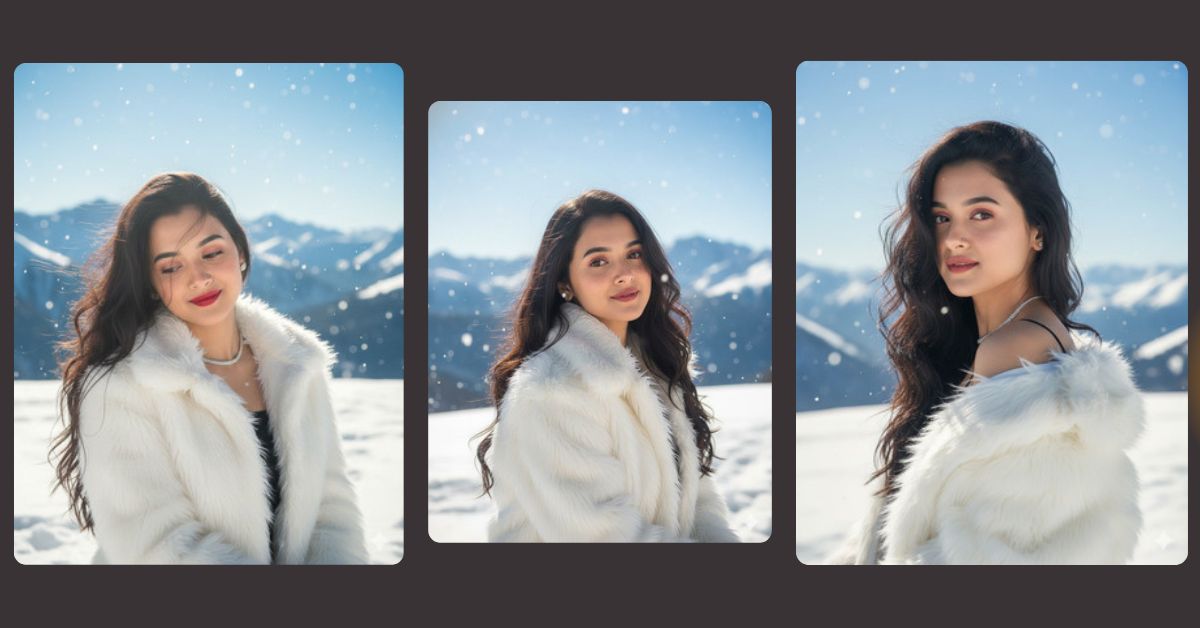
Winter-themed cinematic portraits are trending massively on Instagram and Reels right now.
People love snowy backgrounds, soft sunlight, natural beauty, and ultra-realistic details that feel calm, premium, and editorial.
This winter alpine portrait style looks luxurious and dreamy, which is why creators are using it for viral posts.
The best part is that you can create this for free using Google Gemini, perfectly sized in 9:16 aspect ratio for Instagram Reels.
The Viral Prompt (Google Gemini Prompt)
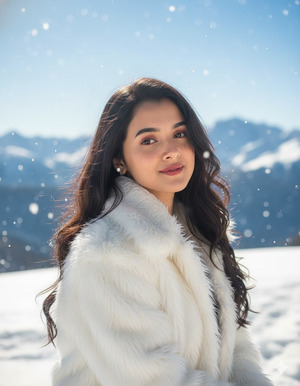
Create a photorealistic, ultra-high-quality 8K cinematic close-up (chest-up) winter portrait using my uploaded reference image with 100% accurate face matching and no facial changes.
The subject is a young woman standing on a snowy alpine ridge, wearing a white shaggy faux-fur winter coat. She has long, windswept hair, light freckles, soft natural makeup, luminous realistic skin texture, and a gentle closed-lip smile. She looks slightly past the camera with a calm, peaceful expression.
The background features a sunny blue winter sky with defocused snow-covered alpine mountains. Gentle snowflakes are falling and sparkling in the backlight. Bright, clear winter sunlight creates soft rim lighting around her hair and fur.
Color palette is clean and cool with icy blues and whites balanced by warm natural skin tones. Crisp fur and hair texture, shallow depth of field, cinematic lighting, editorial beauty photography style, 85mm portrait look, f/1.8–2.2.
No text, no watermark. Ultra-realistic, high detail, professional photoshoot quality.
Create the image in 9:16 aspect ratio.
Pose Variant 1 – Head Slightly Tilted, Looking Down Softly
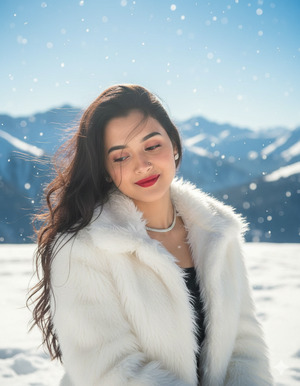
Create a photorealistic, ultra-high-quality 8K cinematic close-up (chest-up) winter portrait using my uploaded reference image with 100% accurate face matching and no facial changes.
The young woman stands on a snowy alpine ridge wearing a white shaggy faux-fur coat. Her long windswept hair flows naturally, with light freckles, soft natural makeup, luminous realistic skin texture, and a gentle closed-lip smile. She tilts her head slightly downward, eyes looking softly toward the snow with a calm, peaceful expression.
Sunny blue winter sky and defocused snow-covered alpine mountains in the background. Gentle falling snowflakes sparkle in the backlight. Bright clear winter sunlight creates soft rim lighting on hair and fur.
Cool clean color palette with icy blues and whites balanced by warm skin tones. Crisp fur and hair texture, shallow depth of field, cinematic lighting, editorial beauty photography style, 85mm portrait look, f/1.8–2.2. No text, no watermark.
Create the image in 9:16 aspect ratio.
Pose Variant 2 – Shoulders Turned Slightly, Eyes Back to Camera
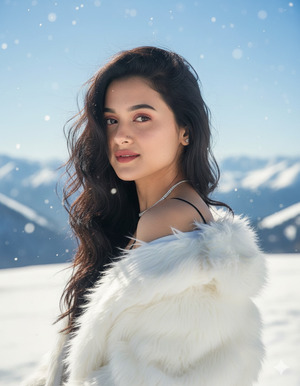
Create a photorealistic, ultra-high-quality 8K cinematic close-up (chest-up) winter portrait using my uploaded reference image with 100% accurate face matching and no facial changes.
The young woman stands on a snowy alpine ridge wearing a white shaggy faux-fur coat. Her shoulders are turned slightly to the side while her face turns back toward the camera. She has long windswept hair, light freckles, soft natural makeup, luminous realistic skin texture, and a gentle closed-lip smile, creating an elegant editorial pose.
Sunny blue winter sky and defocused snow-covered alpine mountains in the background. Gentle falling snowflakes sparkle in the backlight. Bright clear winter sunlight creates soft rim lighting on hair and fur.
Cool clean palette with icy blues and whites, warm skin tones, crisp fur and hair texture, shallow depth of field, cinematic lighting, editorial beauty photography style, 85mm portrait look, f/1.8–2.2. No text, no watermark.
Create the image in 9:16 aspect ratio.
How to Customize This Prompt
You can easily adjust a few details to match your preference:
- Change coat color (cream, beige, light grey).
- Adjust snowfall intensity (light, medium, heavy).
- Modify expression (soft smile, neutral calm look).
- Switch background mountains to forest or icy hills.
Keep the face unchanged to maintain realistic results from your reference image.
How to Create This Image Using Google Gemini
Follow these simple 4 steps:
- Open Google Gemini on your mobile or desktop.
- Paste the viral prompt given above.
- Add this line: “Create an image in 9:16 ratio”.
- Generate and download your cinematic winter portrait.
No paid tools or editing skills are needed.
Conclusion
This winter alpine AI portrait is perfect for Instagram Reels, Stories, profile photos, and aesthetic feeds.
The snowfall, cinematic sunlight, and ultra-realistic skin texture make it look like a professional editorial photoshoot.
Use this Google Gemini prompt to create your own viral winter image.
Share it on Instagram and enjoy the compliments—because this kind of cinematic AI portrait always grabs attention.







