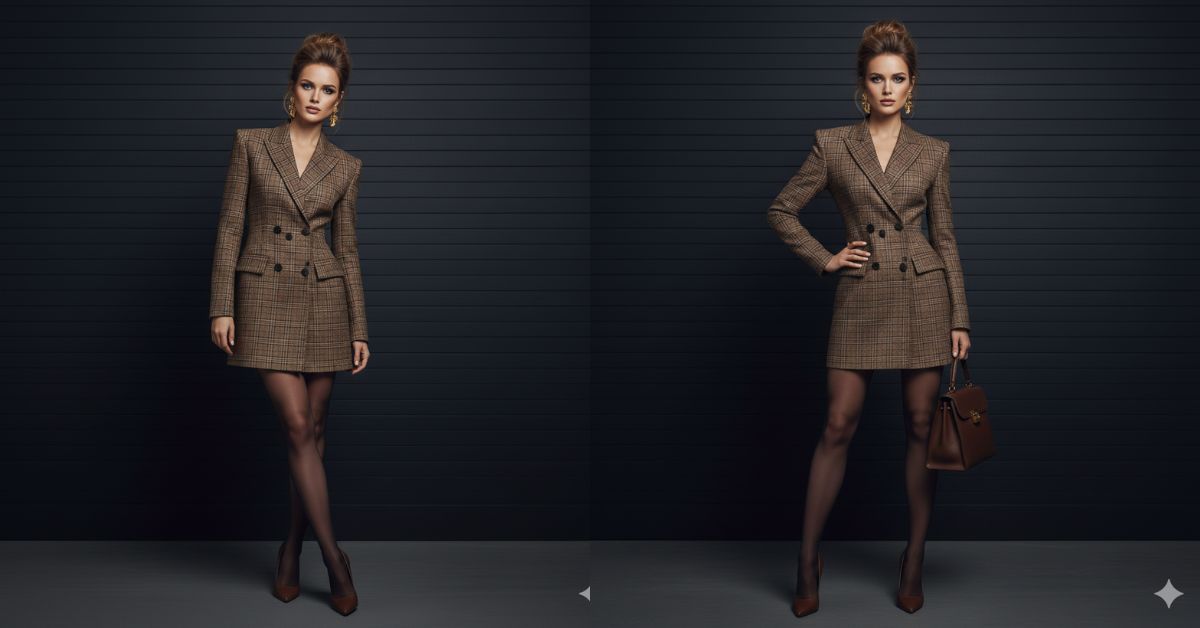
High-fashion editorial portraits are trending fast on Instagram and Pinterest.
Clean backgrounds, confident poses, and Vogue-style outfits give a luxury and powerful vibe.
The best part? You can create this hyper-realistic Vogue editorial image for free using Google Gemini, even without photography skills.
This style works perfectly for:
- Fashion creators
- Personal branding
- Instagram Reels & profile photos
The Viral Prompt (Copy–Paste Ready)
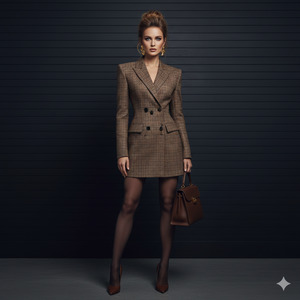
Create a hyper-realistic, ultra-detailed Vogue-style fashion editorial portrait.
IMPORTANT: Keep the face, identity, proportions, and facial features EXACTLY the same as the uploaded reference image. Do not alter the face, skin tone, or body shape
Scene:
An elegant woman standing confidently in front of a dark wall with subtle horizontal panels, modern high-fashion editorial aesthetic.
Outfit:
She is wearing a structured brown plaid blazer dress with sharp shoulders and a well-defined waist, creating a powerful and sophisticated silhouette. Styled with sheer black tights and elegant brown pointed-toe high heels.
Appearance:
Hair is light brown, styled in a voluminous intentionally messy bun with soft strands framing the face. Makeup is natural glam with smooth realistic skin texture, defined brows, soft contour, and nude sophisticated lips.
Accessories:
Bold gold statement earrings and a classic dark brown leather handbag with a timeless design (no visible brand logos).
Lighting & Camera:
Soft controlled studio lighting with no harsh shadows, deep editorial contrast, realistic skin texture preserved. Shot on a 50mm lens, vertical composition, premium Vogue fashion magazine aesthetic.
Quality:
Ultra-realistic, 8K resolution, cinematic lighting, high texture detail, professional fashion photography.
Pose Variant 1 – Hand on Waist Power Pose
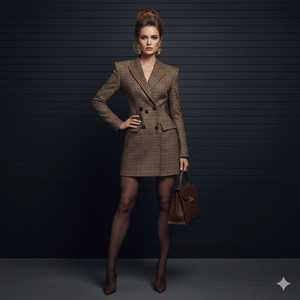
Same prompt as above, but change the pose to:
The woman stands with her body facing forward, one hand placed firmly on her waist and the other holding the handbag naturally by her side. Her shoulders are squared, chin slightly raised, projecting confidence, authority, and a strong Vogue power-editorial stance.
Create the image in 9:16 aspect ratio.
Pose Variant 2 – Crossed Legs Editorial Lean
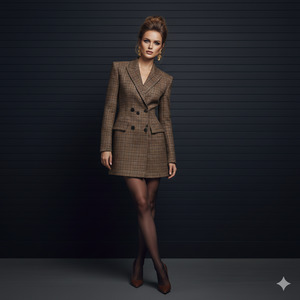
Same prompt as above, but change the pose to:
The woman stands with one leg subtly crossed in front of the other, weight shifted to one hip. Her upper body leans slightly toward the wall behind her, arms relaxed, creating an effortless high-fashion editorial mood with quiet confidence.
Create the image in 9:16 aspect ratio.
How to Customize This Prompt
You can easily personalize this image by changing small details in the prompt:
- Change outfit color (brown → black, beige, grey)
- Adjust hairstyle (low bun, sleek ponytail)
- Modify accessories (earrings, bag color)
- Do not change face or identity instructions if you want accurate results.
How to Create This Image Using Google Gemini
- Open Google Gemini
- Upload your reference image
- Paste the prompt above and add:
“Create an image in 9:16 aspect ratio” - Generate and download the image
That’s it! Your Vogue-style AI image is ready.
Conclusion
This Vogue editorial power look is perfect for anyone who wants a confident, luxury, and modern fashion presence on social media.
Google Gemini makes it easy to create studio-quality visuals without expensive shoots.
✨ Once created, share your image on Instagram Reels, Pinterest, or your profile and watch the engagement grow.
If you want more premium AI prompts like this, keep following sukoon promt.







